

-
Surface Laptop 6 for Business
The Surface Laptop 6 for Business is a high-performance laptop that comes installed with Intel’s new Core Ultra series of CPUs. This laptop’s sleek design and high performance make it great for business users who want to do more than edit documents.
Pros- Intel Core Ultra Processor
- Up to 64GB DDR5 RAM
- Co-Pilot and AI capabilities
Cons- Expensive
- No color or material options
- Still has bad glare resistance
-
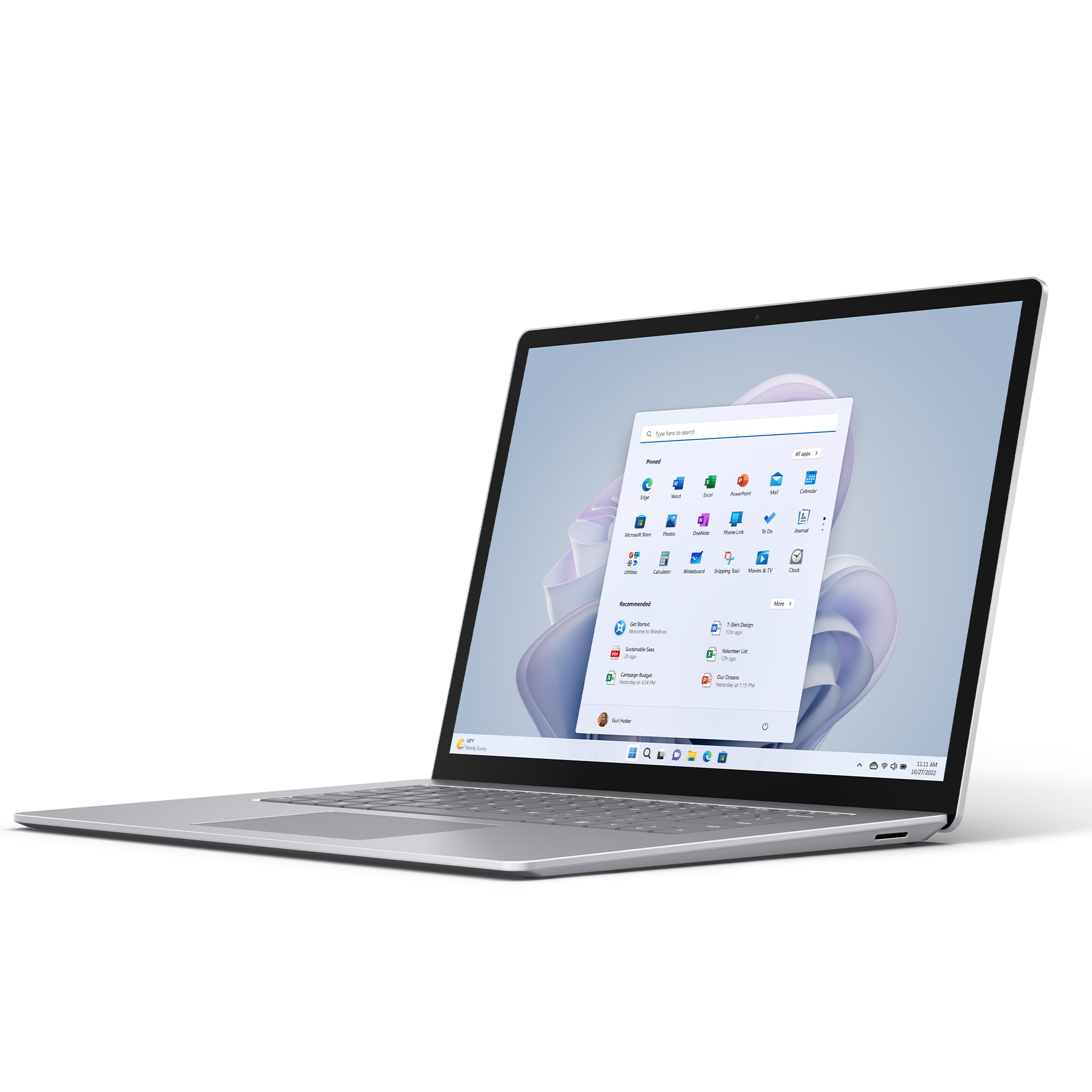
Microsoft Surface Laptop 5
The Surface Laptop 5 is a slim, low-profile laptop that features a vibrant PixelSense display, a 12th-gen Intel Core i5/i7 CPU with up to 32 GB of RAM and 1TB of storage. This laptop is the perfect Windows 11 device for work or play.
Pros- Great performance for price
- Multiple color and material types
- Great display and responsive touchscreen
Cons- Clunky bezels
- 720p webcam
- Bad glare resistance

Microsoft’s Surface Laptop series has been a staple in the laptop scene for years, lauded for its slim design, robust performance, and Windows operating system tailored for business needs. With the release of the Surface Laptop 6 for Business this month, many are curious about how it compares to its predecessor, the Surface Laptop 5.

Surface Pro 10 for Business vs Surface Laptop 6 for Business: Which is right for you?
New Surface machines are on the way, but between the Surface Pro 10 and the Surface Laptop 6, here’s which computer is the right choice for you.
Price, specs, and availability
There is a big price difference
As you would expect, the Surface Laptop 6 for Business is more expensive than the Surface Laptop 5. The base model Surface 6 for Business starts at $1,200 and comes with an Intel Core Ultra 5, 8GB of DDR5 RAM, and a 256GB SSD. The Surface Laptop 6 for Business comes in a range of configurations, scaling up to an Intel Core Ultra 7 processor, 64GB of RAM, and a 1TB SSD. If you are considering buying the fully upgraded version, then the Cost price is closer to $3,000. You can currently only pre-order the Surface 6 for Business. The Surface Laptop 6 for Business will officially be released on April 9.
The Surface Laptop 5, being an older model, is much more affordable than the Surface Laptop 6. Prices for the Surface Laptop 5 start at $800 for the base model with similar display and design specifications to the Surface Laptop 6 for Business. However, the Surface Laptop 5 is equipped with a 12th-gen Intel Core i5 processor. It also offers a range of upgrades, up to an Intel Core i7 processor, 32GB of DDR5 RAM, and a 1TB SSD. The fully upgraded Surface 5 laptop will set you back $1800.
If you’re on a budget, the Surface Laptop 5 offers better value for money due to its lower price. However, if you’re looking for the latest features, improved performance, better efficiency, and a wider range of configuration options, the Surface Laptop 6 is worth the extra investment.
-
Surface Laptop 6 for Business
- CPU
- Intel Core Ultra 5 135H, Core Ultra 7 165H
- GPU
- Intel Arc
- Display (Size, Resolution)
- 13.5 or 15 inches, 2256×1504 or 2496×1664,
- RAM
- 8GB LPDDR5, 16GB, 32GB, or 64GB LPDDR5x
- Storage
- 256GB, 512GB, 1TB Gen 4 SSD
- Battery
- 47WHr
- Ports
- 1 Thunderbolt (2 TB4 in the 15-inch model), USB 3.1 Type-A, Surface Connect, optional Smart Card reader
- Operating System
- Windows 11 Pro or Windows 10 Pro
- Webcam
- 1080p Surface Studio Camera
- Dimensions
- 13.5-inch: 308x223x16.7mm, 15-inch: 340x244x16.9mm
- Weight
- 13.5-inch: 1.38kg, 15-inch: 1.68kg
- Colors
- Platinum, Black
- Price
- 13.5-inch: Starts at $1,199, 15-inch: Starts at $1,399
-
Microsoft Surface Laptop 5
- CPU
- 12th Gen intel Core i5-1235U or Intel Core i7-1255U
- GPU
- Intel Iris Xe
- Display (Size, Resolution)
- 13.5 or 15 inches, 2256×1504 or 2496×1664
- RAM
- Up to 16GB (13.5-inch); Up to 32GB (15-inch)
- Storage
- 256GB, 512GB, or 1TB
- Battery
- 40WHr
- Ports
- 1x Thunderbolt 4, 1x USB Type-C, 1x USB Type-A, 1x Surface Connect, 3.5mm audio
- Operating System
- Windows 11 Home
- Webcam
- HD 720p webcam
- Dimensions
- 12.1 x 8.8 x 0.57 inches (13.5-inch model); 13.4 x 9.6 x 0.58 inches (15-inch model)
- Weight
- 2.80 pounds (13.5-inch fabric); 2.86 pounds (13.5-inch metal); 3.44 pounds (15-inch model)
- Colors
- Platinum, Sage, Black, Sandstone
- Price
- Starting at $800
Exterior design
Identical apart from colors

The Surface Laptop 5 and the Surface Laptop 6 for Business base models look nearly identical. Both laptops have a lightweight body and thin profile, complemented by a comfortable keyboard (with the new Co-Pilot key on it) and a responsive trackpad.
One sore spot on the Surface Laptop 5 was its chunky bezels. But unfortunately, this hasn’t improved on the new laptop. The ports and connections also haven’t changed, with both the Surface 5 and Surface 6 for business having a USB-C, USB-A, 3.4mm headphone jack, and a Surface Connect port.
One notable difference between the two is that the Surface Laptop 5 has a greater number of material and color options to choose from. The Surface Laptop 5 13.5-inch has 2 material options for the faceplate: alcantara and metal. The alcantara version only comes in platinum color. The metal version of the 13.5-inch laptop is available in 3 different color options: sage, black, and sandstone. However, the metal version of the 15-inch laptop only comes in platinum and black.
The Surface Laptop 6 for Business ditches the Alcantara option and only uses metal. There are also only two color options for this laptop: platinum and black. This makes sense when you remember this laptop is for businesses, so there is no need for personalization options.
Display
Great displays with vivid colors

The Surface Laptop 6 for Business is available with either a 13.5-inch or 15-inch display. Both options use a touchscreen PixelSense display with Gorilla Glass 5. These individually color-calibrated displays feature a 3:2 aspect ratio and up to 400 nits of brightness. They also feature an anti-reflective coating intended to mitigate unwanted reflections. However, in testing, both screen sizes had problems with glare when working outside in brightly lit environments.
The Surface Laptop 5 uses the same display as its successor, with the only difference being that Alcantara models use Gorilla Glass 3 instead of Gorilla Glass 5. Apart from this, the Surface 5 has the same display size choices as the Surface Laptop 6 for Business: 13.5 inches and 15 inches.
The touchscreen displays on both laptops are extremely responsive and have great picture quality with vivid colors. One thing to consider is that the base model 15-inch display for both laptops costs $200 more than the base 13.5-inch, so you will have to decide if the 1.5-inch difference in size is enough to justify the additional cost.
Hardware and performance
Intel Core vs Core Ultra series CPU

Internal hardware is the biggest difference between these two laptops. The Surface Laptop 5 can be configured with either an Intel 12th-gen Core i5 or i7 CPU. And while these processors are fantastic in their own right, they lack an NPU for AI tasks, which the newer Core Ultra series offers.
The Surface Laptop 6 for Business is one of the first laptops in Microsoft’s lineup to use Intel’s new Core Ultra series. This also explains why Microsoft added the Copilot button to the keyboard, as the newer CPUs are able to perform complex AI tasks on-device.
The Core Ultra series improves the newer laptop’s performance and efficiency, while introducing fundamentally new features. The latest processors even improve graphics performance, since you are stepping up from the Intel Iris XE in the Surface 5 to an Intel Arc GPU in the Surface 6 for Business.
The new Surface Laptop 6 for Business can also be configured with up to 64GB of DDR5 RAM, rather than a maximum of 32GB on the Surface 5. This gives you much more flexibility if you are using programs that are memory intensive.
Finally, Microsoft added right-to-repair features on the Surface Laptop 6 for Business. It added QR codes to all the laptop’s hardware components, so users can more easily identify and replace components on the laptop on their own. Microsoft still requires you to buy parts directly, but it’s a step in the right direction.
Battery life
Microsoft claims 19 hours of battery for “typical device usage”

The Surface Laptop 5 and Surface Laptop 6 for Business offer the same rated battery life, with each 13.5-inch model claiming 18.5 hours of runtime. The two 15-inch models are rated for 19 hours of “typical device usage”. However, the consensus is that both sizes fall short of these rated claims. In real-world usage, the Surface Laptop 5 should last around 8 to 10 hours, and the Surface 6 for Business will likely end up around the same.
With this in mind, if you are planning to use this laptop for work, then both Laptops still have enough juice to get you through your day’s work without needing to charge your laptop. Additionally, both laptops charge fairly quickly, so you won’t have to wait long until your device is fully charged again.
How long your battery lasts will be determined by what kind of tasks you’ll be doing. If you’re only using the laptop to work online and a bit of document editing, then the battery should last you about 10 hours. If you are using the laptop to watch videos or stream media, you might expect closer to 8 hours. And if you are using resource-intensive applications, then the battery may only last 6 hours or less.
Surface Laptop 5 vs Surface Laptop 6 for business: Which should you buy?
More performance or a lower price tag?
The main factor to consider when looking at the Surface Laptop 5 or Surface Laptop 6 for Business is what kind of performance you need from your laptop and what you would like to pay for said performance.
The Surface Laptop 5 is great if you are planning to use it for general tasks like web browsing and office work. For the price of this laptop, it will be able to do everything you need with a little power left to spare. So if you want a general-purpose laptop that gets you through the day, this laptop is an excellent choice.
The Surface Laptop 6 for Business is more geared towards people who want something on the bleeding edge. It offers better performance that is useful in resource-intensive tasks; and it even packs on-device AI functionality thanks to the newer processor and Copilot key. This is reflected in the pricing of this laptop, and unless you are going to make use of the extra performance you get from the Core Ultra series, it might not be worth it for you.

Microsoft Surface Laptop 5
Best value
The Surface Laptop 5 is a slim, low-profile laptop that features a vibrant PixelSense display, a 12th-gen Intel Core i5/i7 CPU with up to 32 GB of RAM and 1TB of storage. This laptop is the perfect Windows 11 device for work or play.

Surface Laptop 6 for Business
Premium pick
The Surface Laptop 6 for Business is a high-performance laptop that comes installed with Intel’s new Core Ultra series of CPUs. This laptop’s sleek design and high performance make it great for business users who want to do more than edit documents.
#Surface #Laptop #Business #Surface #Laptop
source: https://www.xda-developers.com/surface-laptop-6-for-business-vs-surface-laptop-5/


