

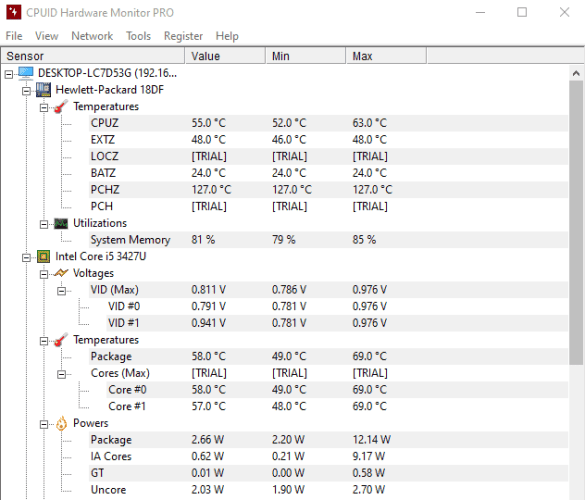
You can choose to download the HWMonitor using the installer or the portable version. Once installed, you’ll notice its clean interface with intuitive controls. The UI is not so busy so you’ll notice most operations and controls are right at your fingertips.
With this tool, you’ll get the remote monitoring feature which lets you monitor the sensors of several PCs or Android devices via simple TCP/IP connection. You’ll also be able to generate logging graphs and save them for later use.
Users can track important parameters such as temperature, voltage, and power, preventing potential hardware failures.
You can also save the graphs as a text file and share it with someone else. This are pretty much the features for a basic user which are decent enough. However, if you’re past the novice stage, you may need a little more.
With the paid HWMonitor Pro version you get all these features and more.
Pros
- Completely free
- Comes in a portable version
Cons
- Basic features
- Advanced features are in the paid version
AIDA64 Extreme – Performance Tracking tool
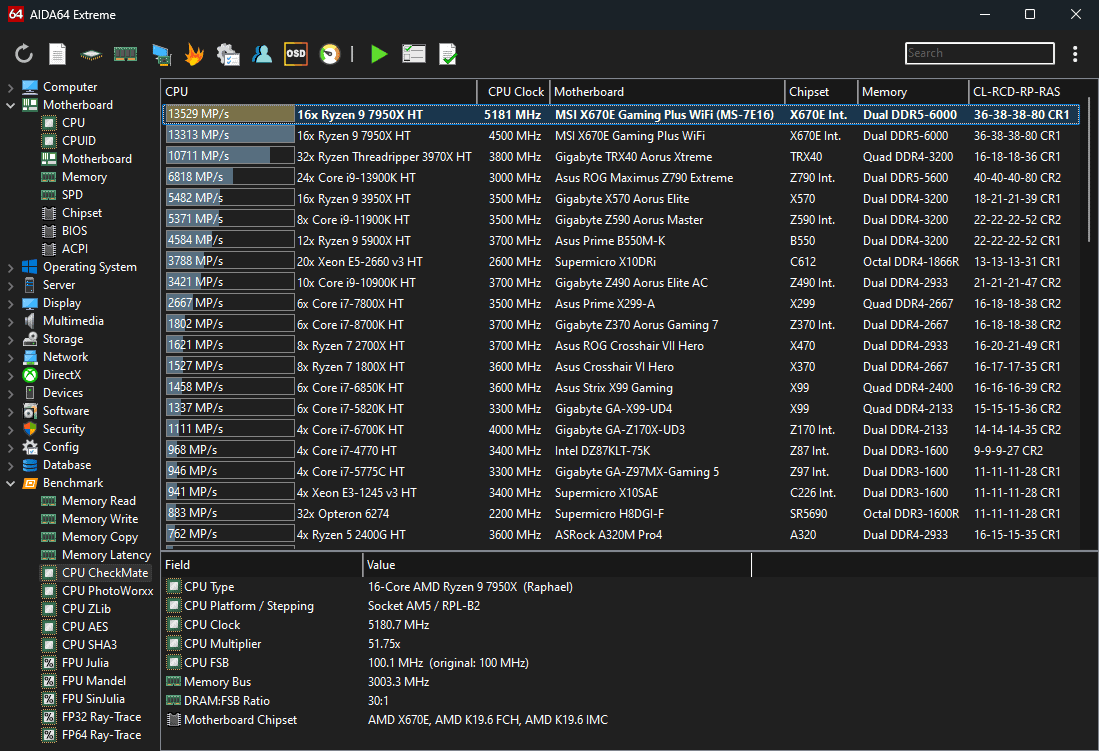
AIDA64 Extreme will give you info on your CPU properties, physical information, and CPU manufacturer. It is a beast when it comes to identifying any potential issues with your system. It keeps track of system performance, and ensures your device is stable.
You’ll need to upgrade to the paid version to enjoy advanced features but even on the free tier, AIDA64 Extreme is still a powerful tool for diagnosing and optimizing motherboard-related issues.
The tool gives an extremely comprehensive report on your motherboard, clock speed and the status of your physical memory. If you overclock your system a lot, you know the potential risks associated with it such as system instability, high power consumptions and too much heat generation.
AIDA64 Extreme becomes your trusted partner as it can monitor the clock speed to it is at the recommended speed and prevent potential damage.
Pros
- It has a free version
- Has a dark mode
- Real-time tracking of temperatures, voltages, and fan speeds
Cons
- Interface may be complex for new users
- Limited features in the free trial
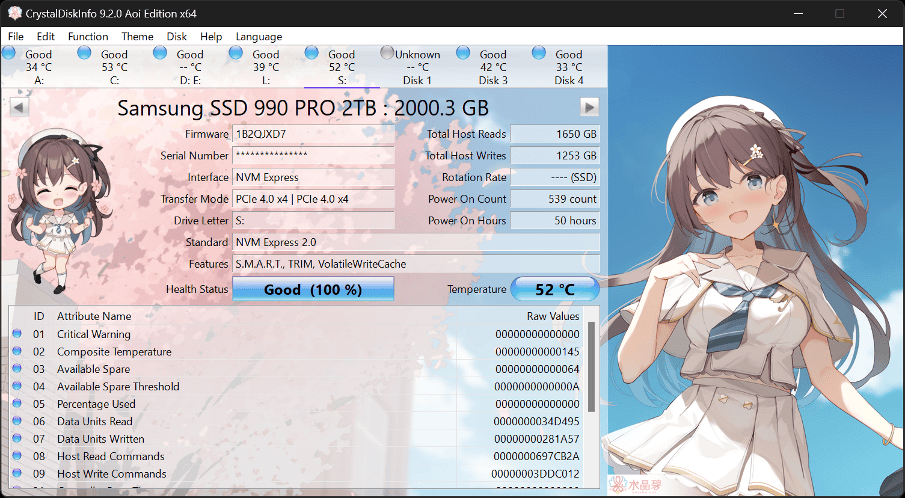
SSDs and hard drives are critical system components hence the need to keep them in good shape at all times. Storage devices contain a lot of data so with CrystalDiskInfo it performs a detailed analysis on the state of your drives and reports on any errors, uptime, spin-up time, and temperature.
It is particularly useful in data loss prevention and RAID setups to ensure optimal performance and extend the lifespan of your storage device.
If any issues are detected, CrystalDiskInfo can send you alerts for you to take action. Of course you’ll have to configure this in settings.
Pros
- Versatile
- Has an autodetection
- Completely free to use by anyone
Cons
- Advanced features are limited in the free version
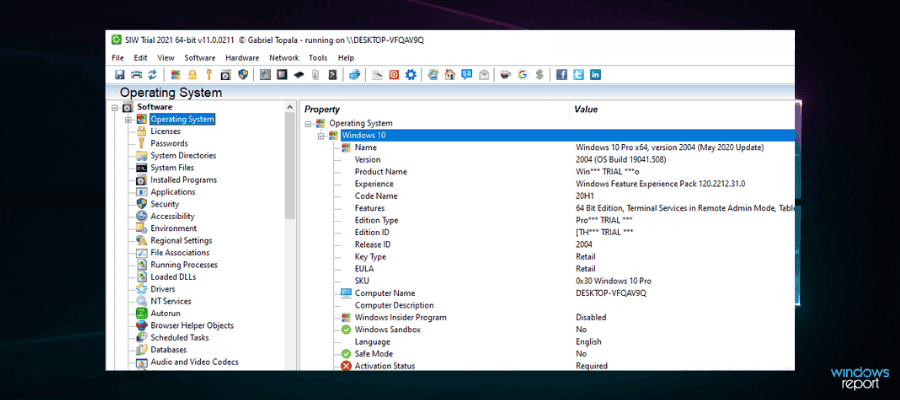
One of the major reasons people go out looking for CPU-Z alternatives is because you have to install additional tools to monitor or give you reports on other system components. With SIW, you get an all-in-one deal.
It is a powerful program that details all the information you need on your system and categorizes them into sections named: Software, Hardware, and Network for easier diagnosis and troubleshooting.
What’s more, it comes in a portable version so you don’t have to worry about storage space especially if you’re running low.
In addition to the system information, SIW also reveals details about all the installed applications. You can generate a summary report and SIW allows you to export the info to an HTML file.
Another feature we found that was cool was its ability to generate valuable information on your network configurations and connections. If you’re having connectivity issues, SIW can get down to the root of the problem to help you troubleshoot.
Pros
- Accurate info and analysis on your system
- User friendly interface
- Ability to save reports in different formats for record keeping
Cons
- Might take some time for info to populate
- Limited to Windows OS
⇒ Get System Information for Windows (SIW)
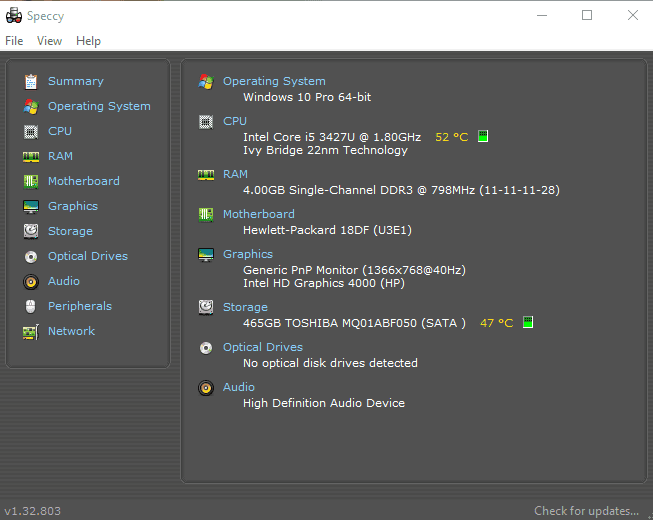
Speccy is one of the longest serving system information tools found on the market and for good reason. It does provide the usual system information but aside from that, it’s pretty easy to use.
Installing this software will earn you your first scan and you get to familiarize yourself with your PC specs. Aside from that, it also provides real-time monitoring reports so you can address any issues as and when they occur.
You can also save snapshots and send them to a tech specialist to help you make sense of it if you don’t know how to troubleshoot.
Speccy can also give you reports about the temperature of your CPU, motherboard, and hard drives. This info is crucial to gamers especially when they’re laying GPU intensive games and need to monitor the temperatures.
One added benefit of using Speccy is the easy way to navigate the components tree. You can choose to view the quick summary report or expand to view the detailed report all on one interface.
Pros
- Light on system resources
- Portable version available
- Easy to use
Cons
- No longer receiving updates
- Does not support newer CPUs
- Advanced features are on paid versions
#Top #CPUZ #Alternatives
source: https://windowsreport.com/cpu-z-alternative/


