

Most people looking for alternatives to Photoshop may want to avoid paying to another corporation, but not all free and
open source alternatives
offer enough power for editing abilities. There are many great closed-source Photoshop alternatives, lots of which offer great advantages over choosing Photoshop, whether it be better price, more accessibility, fewer AI features, or a sharper photo-editing focus. Photoshop isn’t the only proprietary image-editing option if you want something more powerful than open-source tools.
Related
Best GPUs in 2025: Our top graphics card picks
Picking the right graphics card can be difficult given the sheer number of options on the market. Here are the best graphics cards to consider.
11
Adobe Photoshop Elements
Parred-down Photoshop with better payment options

Although very similar to Photoshop itself, Adobe Photoshop Elements is a different tool. Unlike Photoshop’s monthly paid annual subscriptions, it’s offered as a one-time cost for a 3-year license. Adobe
Photoshop Elements 2025 was released toward the end of 2024
alongside Premiere Elements — Adobe’s video editing tool with similar parred-down features.
Photoshop Elements lacks some of the heavy-duty features of Photoshop but keeps many of users’ favorite tools, such as background removal, text tools, small animation features, and some AI-based smart tools. Photoshop Elements is a great alternative to a Photoshop subscription for a better price.

Adobe Photoshop Elements 2025
10
Picsart
AI-powered image editing

Picsart is a browser and mobile app-based editing tool that relies heavily on AI features. It offers both a traditional photo editor and an in-built AI editor, along with content creation tools for social marketing.
It’s available for free with optional premium subscriptions for more features, including more generative AI credits and better download formats and quality. Premium subscriptions start from $5 per month.
The photo editor in Picsart is similar to the offerings of Photoshop, including crop tools, bulk editing, background removal, AI-generating features, photo effects, brush tools, text tools, and many more across both free and paid plans.

9
Pixlr
Online image editor
Pixlr is an image-editing tool comprised of multiple Pixlr apps — although they’re all available from Pixlr’s browser page, you can download them separately as mobile or tablet apps — including Pixlr Editor; Pixlr Express; Pixlr Designer; Batch Editor; and Remove BG.
Within the Pixlr suite of tools are AI-based features such as AI image generator and AI face swap, among many other features. You can use some of the Pixlr apps for free, but even the paid plans start from as little as less than $2.

8
Luminar Neo
AI-based photo editing

Source: Luminar Neo
Luminar Neo is Skylum’s flagship photo editing tool. It has a basis in generative AI and other AI features and allows you to achieve great photo editing results similar to those found in Photoshop. It’s available as a standalone desktop app for both macOS and Windows, a plugin that works within Adobe Photoshop and Lightroom, as well as an extension for Apple Photos.
In 2023, Luminar Neo implemented three major generative AI features in its software: GenSwap, GenExpand, and GenReplace. These features brought the tool considerably closer to what is offered within Photoshop. Luminar Neo is built upon an AI focus, with most of its tools already using AI and ML technology for fast and accurate photo manipulation.
You can get Luminar Neo on a 12-month subscription plan or as a perpetual license — which gives you the upper hand in ownership compared to Photoshop’s subscription-only offerings. However, the lifetime license limits some tools, such as generative AI tools.
Skylum offers discounts throughout the year, so you don’t often need to pay the full price for Luminar Neo. A full-price annual subscription is $320, and the perpetual license is $420 with no discount applied.

7
Aperty
AI-integrated portrait retouching
Aperty is another Skylum-owned editing tool. However, it has a larger focus on editing portrait photos. While
Aperty might be better compared to Adobe Lightroom
than Photoshop given that many photographers and hobbyists alike use Photoshop to edit portrait images, it works as an alternative all the same.
Aperty debuted in November 2024 as a portrait-focused AI-based editing software. It was developed with a portrait photographer to ensure the tools capture what photo editors require most in their editing workflows. It offers tools such as blemish removal, masking, creative presets, color correction, RAW image editing abilities, batch processing, and offline access, even for its AI features.
Like Skylum’s other tools, you can use Aperty as a standalone tool or a plugin in various software, including Photoshop. Aperty is offered as a monthly rolling contract for $30 per month or as an annual contract for $300 per year.

6
Canva
Accessible image manipulation and creation

Canva is slightly different to the offerings in Photoshop, in that Canva is focused more on content creation and layout design, compared to Photoshop’s photo editing and image manipulation tools. However, Canva does have plenty of image editing options, and for hobbyists or those creating visuals for online content and marketing, Canva makes a great Photoshop alternative.
You can access Canva for free, where you can use the majority of features without paying. Free features include image editing, such as blur, color overlay, and Canva add-ons for external editing. Most of Canva’s AI features are only available for Canva Pro users, but its AI tools put it more closely to Photoshop as an editing tool.
Canva’s pricing model is slowly ramping up to that of Photoshop, with some
Canva users in 2024 seeing up to a 300% rise in pricing
. Canva is offered — similarly to Photoshop — on a monthly paid subscription within an annual contract; however, it does offer a generous 30-day free trial of Canva Pro, and its Canva Free account allows you to do a lot.

5
Corel PaintShopPro
Image manipulation at a one-time cost

Source: Corel
As a young teenager, PaintShopPro was how I got into graphic design and photo manipulation. Back then, it was owned by Jasc; it’s been owned by Corel since 2004, and although it isn’t as popular as Adobe Photoshop, it’s been a leading competitor behind the scenes.
Available as a one-time cost of $80, along with a 30-day free trial first. Owners of previous versions can upgrade to PaintShopPro 2023 for $60.
PaintShopPro is a versatile picture and photo-editing software. It has options for both raster and vector graphics editing and includes AI tools, too, as well as built-in AfterShotPro, which allows for RAW image editing.

Corel PaintShop Pro
$50 $80 Save
$30
4
Photo Pos Pro
Free for personal and commercial editing use

Source: Photo Pos
You’ll not often find an image editor that offers good editing tools entirely for free, but Photo Pos Pro is one of them.
Available as a free download for Windows platforms (XP, Vista, 7, 8, 10, and 11) or Macs with a Windows emulator running, Photo Pos Pro offers many similar features you’ll find in Photoshop.
You can edit with filters, layers, masks, curves, and scripts. Photo Pos Pro allows for RAW format editing and provides text tools and effects, background removal, and many more features limited only by the operating system.
Along with the downloadable version, there’s also a lite version for browser-based editing, Photo Pos Snap.

3
Photopea
Free browser-based Photoshop emulator

Source: mockup.photos
Photopea is owned and run by a one-man band, Ivan Kutskir. On-page ads and premium sign-ups fund it, so although it has a GitHub page, it’s not an open-source or publicly funded tool.
The browser-based image manipulation tool is free to use by anyone, but it has some low-cost premium options. You can pay for 30, 90, or 365 days at a time, with the one-year price costing only $50 for individuals. There are also team plans for teams of 5, 20, and 50 for the same time periods.
A paid plan doesn’t roll over and puts you back on a free plan when the days run out — paid plans remove adverts, include AI credits, offer 5GB storage, and allow you 2x of undo history, compared with the free plan, which only offers editing features and 0.5GB storage.


Related
7 reasons Photopea is the best free alternative to Photoshop and Lightroom
Your free ticket to stunning edits
2
Pixelmator Pro
Mac-only image manipulation tool
Although Pixelmator Pro is a great image-manipulation editing tool
, it lacks platform availability. Pixelmator Pro is only available for Mac — and an iOS and iPadOS version simply called Pixelmator — which cuts down the number of people who can access the tool.
It’s a fantastic photo editor for Mac systems, and it offers compatibility with other Mac-based apps, like Apple Photos, allowing you to edit your images directly from the Photos app using Pixelmator’s tools.
With the 2024 acquisition by Apple of Pixelmator, Mac users can expect the power of this editing tool to increase, potentially pushing it above and beyond that of Photoshop itself.
Pixelmator Pro is available at a one-time cost in perpetuity on Mac computers. Users who have both the desktop and mobile versions can share files between the two — similar to what’s available with Adobe’s Creative Cloud.


Related
3 reasons I use Pixelmator Pro instead of Photoshop — saving heaps of money
It’s cheaper, and better in a few key ways
1
Affinity Photo
Serif Affinity’s photo editor
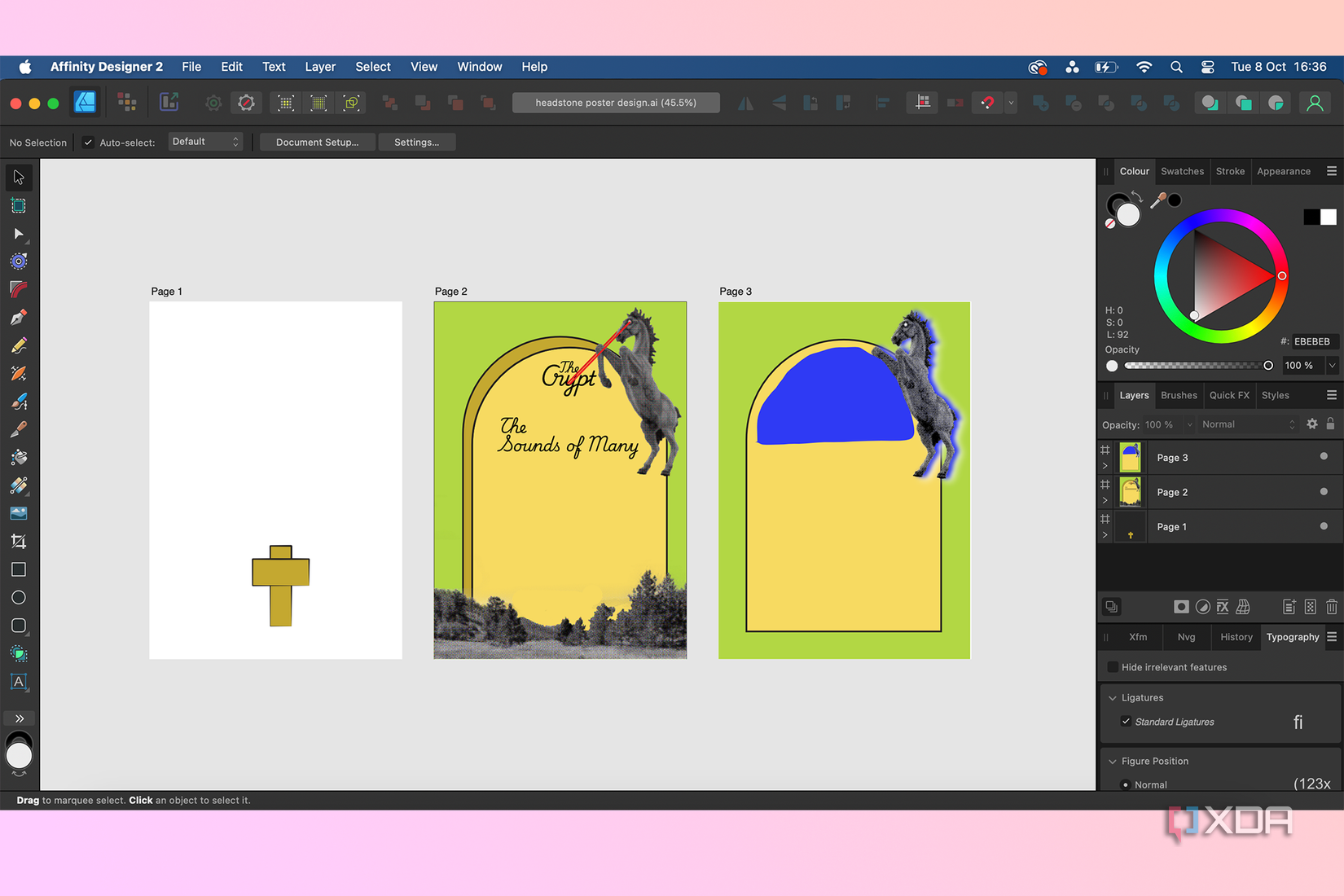
Possibly considered one of Photoshop’s biggest rivals, Affinity Photo is part of a creative suite similar to Adobe’s. Canva acquired Serif — the parent of Affinity — in 2024, making the expectations of the software even bigger for the future.
Affinity Photo is available at a one-time cost, which includes updates throughout its version’s tenure — Affinity is currently on V2. New versions require a new license and are not updated within the one-time cost, but they are available at a discounted rate, similar to purchasing
Adobe Photoshop and Premiere Elements updates
.
Affinity Photo is great for photo editing, including RAW format editing and image manipulation. You can create swathes of images with its editing tools. The Affinity suite has no AI features, but it has a powerful engine that produces high-quality results.

There are lots of open-source alternatives to Photoshop, and often, there are great reasons for going down that avenue. Sometimes, however, your image editing or photo development workflows require more power and integrity than an open-source tool can offer. Without giving money or your privacy over to Adobe, there are plenty of alternatives to Photoshop that remain closed-source.
#closedsource #alternatives #Photoshop
source: https://www.xda-developers.com/closed-source-alternatives-photoshop/


