

Microsoft is keen on tying Windows 11 installations to a Microsoft account, which is supposed to be a good thing since it automatically backs up your data, plus your BitLocker encryption keys. However, this makes it a bit harder to pass on the computer to someone else, since the computer will be tied to your Microsoft account.
If you want to change the email address of the administrator account on Windows 11, though, you have options. So let’s take a look at how you can do exactly that.
Related
Can I run Windows 11 without a Microsoft account?
Want to use Windows 11 without a Microsoft account? You can use the new OS with a local account, but some trickery may be required.
Change the email address associated with your Windows account
Your first option is to unlink the Microsoft account you used when setting up the PC, and then linking a new account instead.
Step 1: Switch to a local account
The first thing you will need to do is change the current administrator account to a local account. This will essentially separate your computer’s account from the Microsoft account attached to the email address. You will retain all the current settings, but your data will no longer sync with other Windows devices.
- Open Settings from the Start Menu.
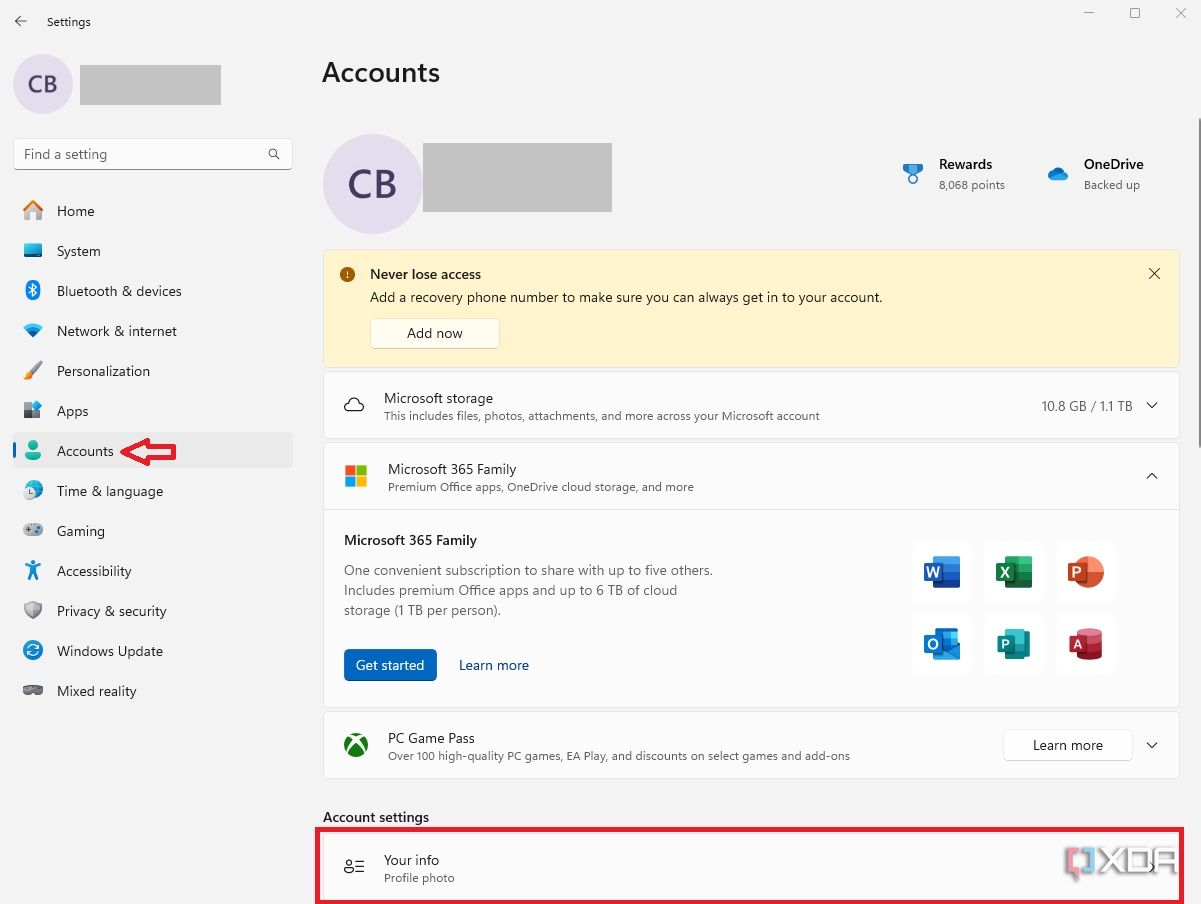
- Navigate to Accounts, then scroll down and select the Your info box.
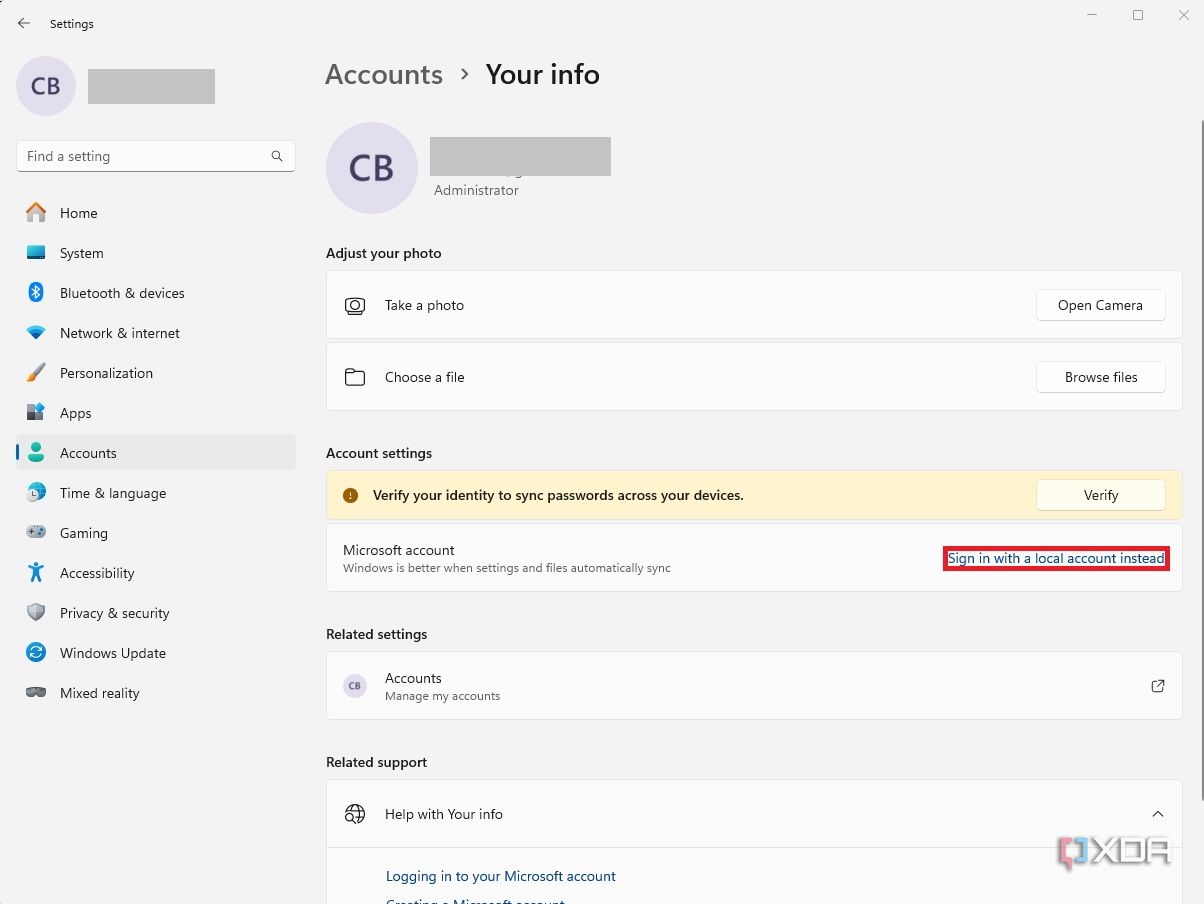
- Click Sign in with a local account instead.
- Confirm that you want to sign in with a local account and enter your PIN or password.

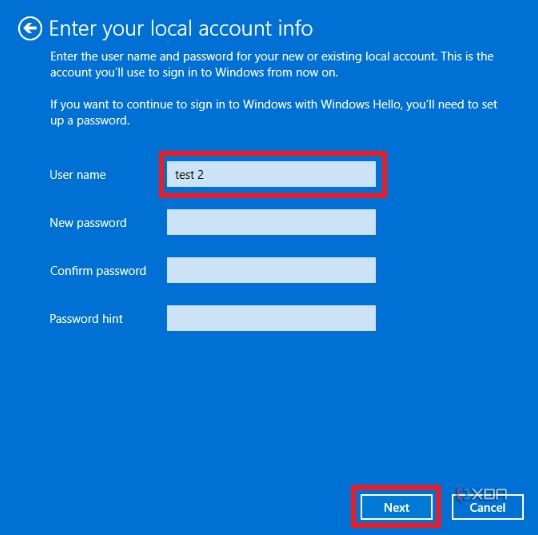
- Choose a username and password for the new local account and click Next. You can skip a password this time since you’ll be linking another Microsoft account later.
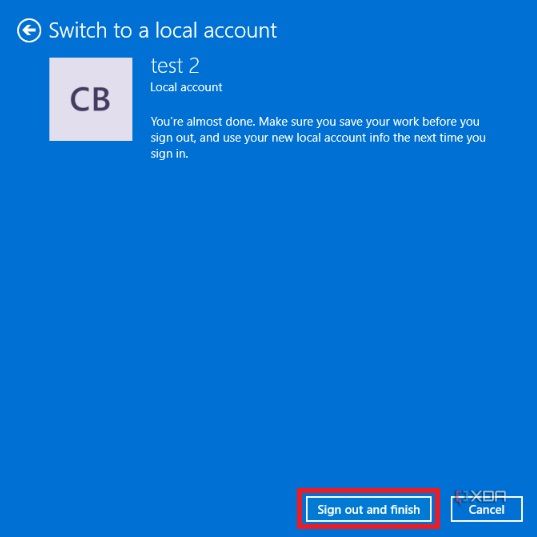
- Click Sign out and finish to create a local account. The computer may restart before allowing you to sign back into the new account.


While this will unlink the Microsoft account from Windows, certain apps and Windows components may keep using the account that was linked previously. You may have to sign out of each app individually.
Step 2: Link a new email address (Microsoft account)
Now that the administrator account is set to local, and you are signed in, you can add the new email address. Doing so will connect the new email address and associated Microsoft account with your PC.
- Open the Settings menu.
- Navigate to Accounts and again select Yourinfo.
- Click Sign in with a Microsoft account instead.
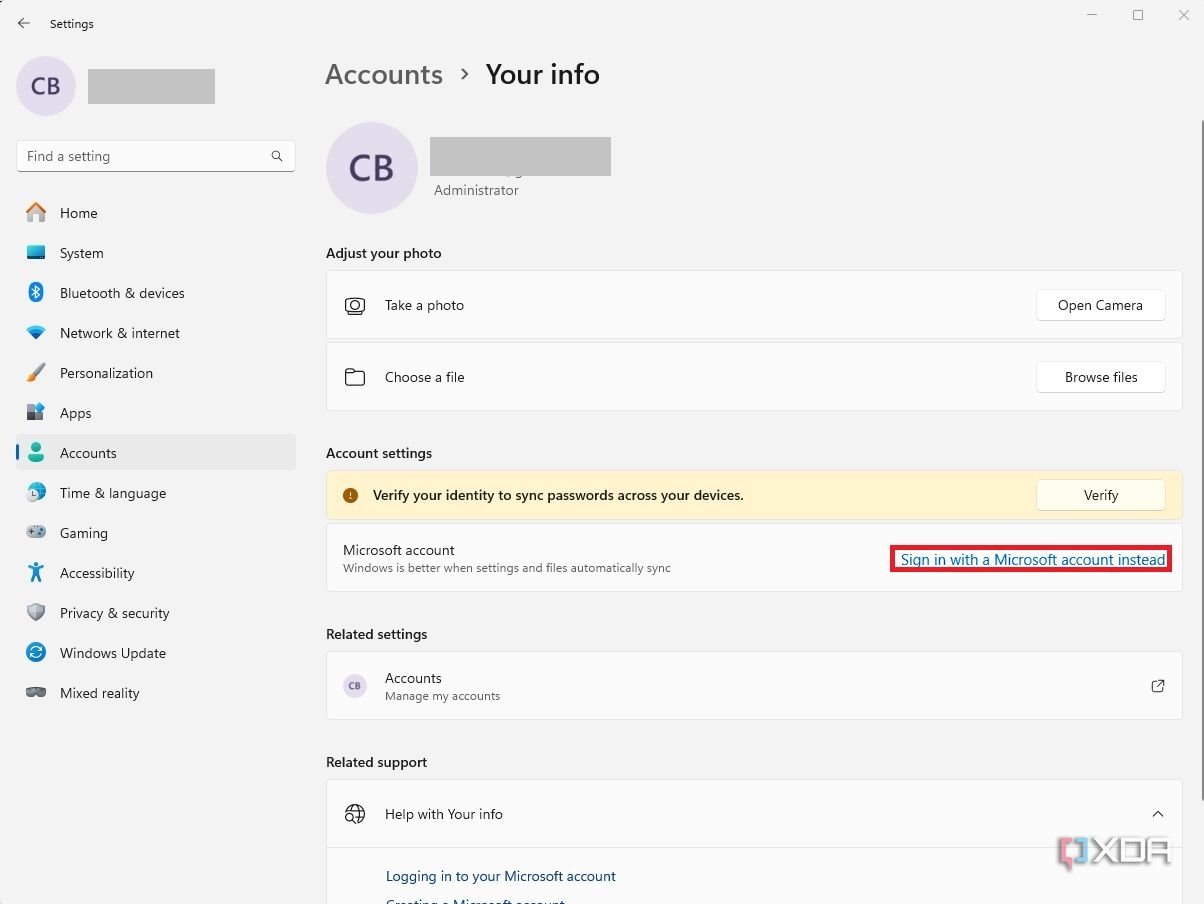
- Sign in with the new Microsoft email address and password.

Your administrator account will now be linked to the new email address you want to use.
Add a Microsoft account to Windows 11
If you want to grant administrator access to another email address but also keep the current one, you can also just create another user account with that person’s Microsoft account. For that, follow these steps:
- In the Settings app, navigate to the Accounts section.
- Scroll down and choose Other users.
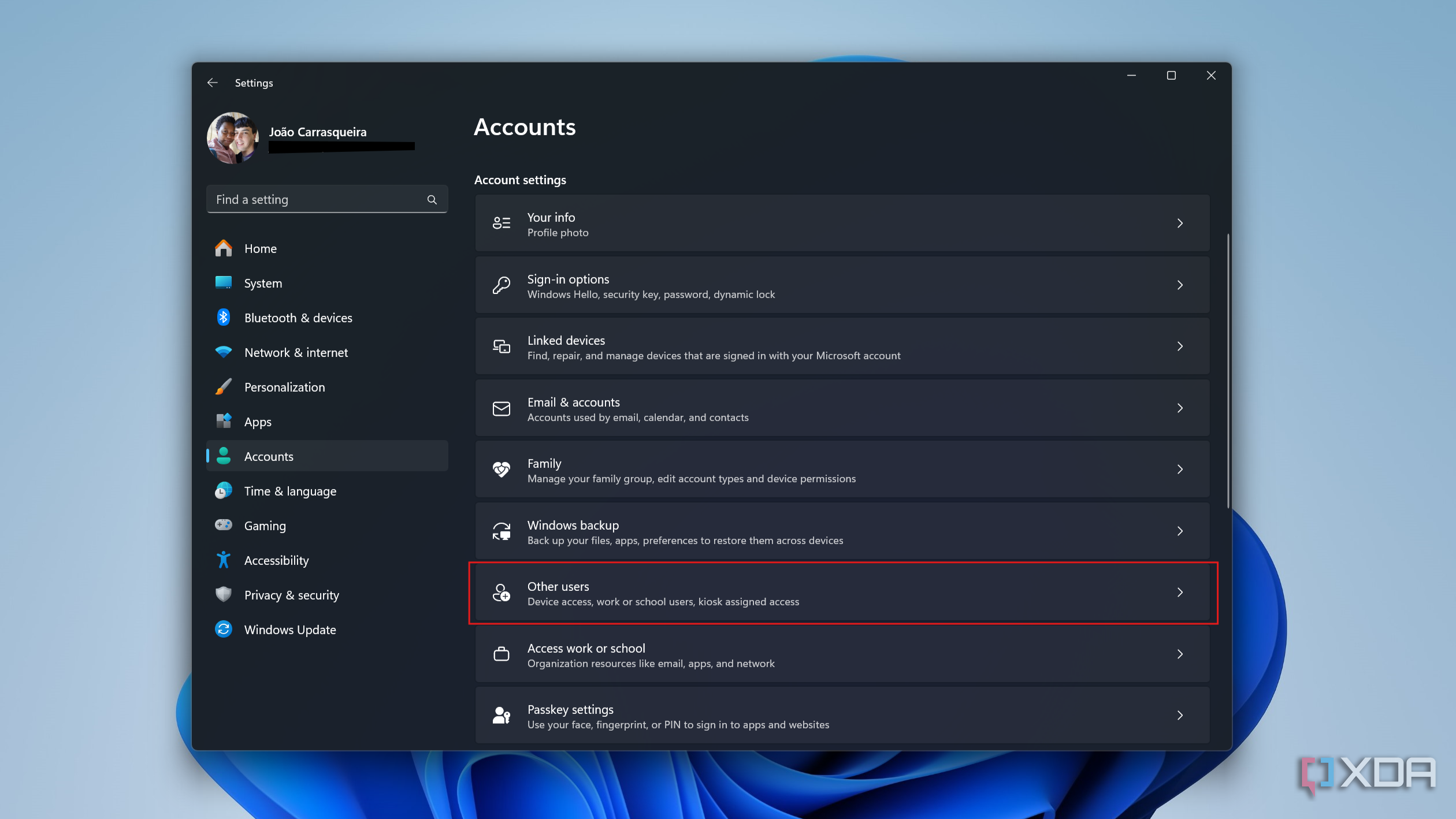
- Click Add account.
- Sign in with the Microsoft account details you want to use.
- Once the account is added, click Change account type under it.
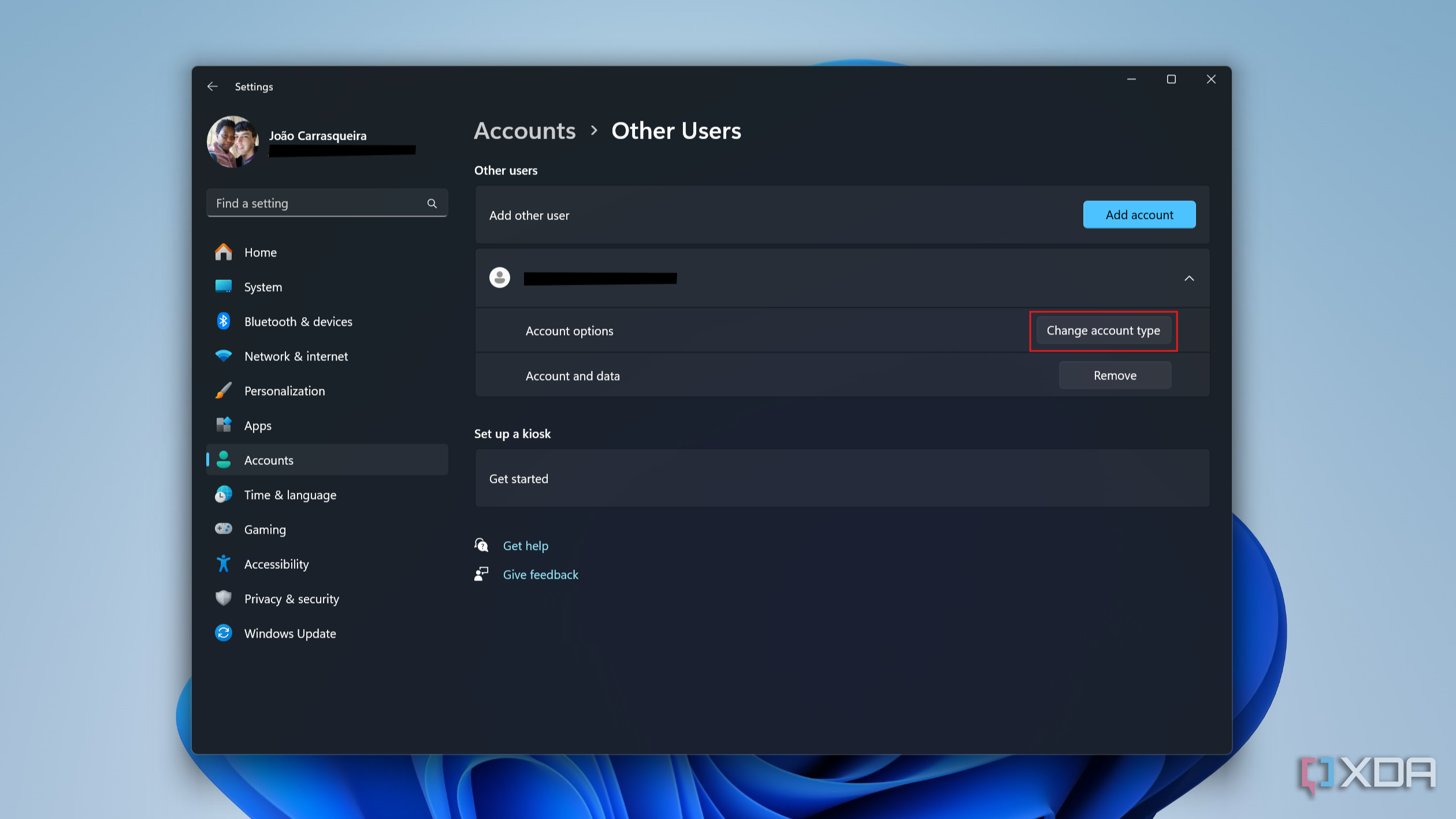
- Use the dropdown menu to choose Administrator.
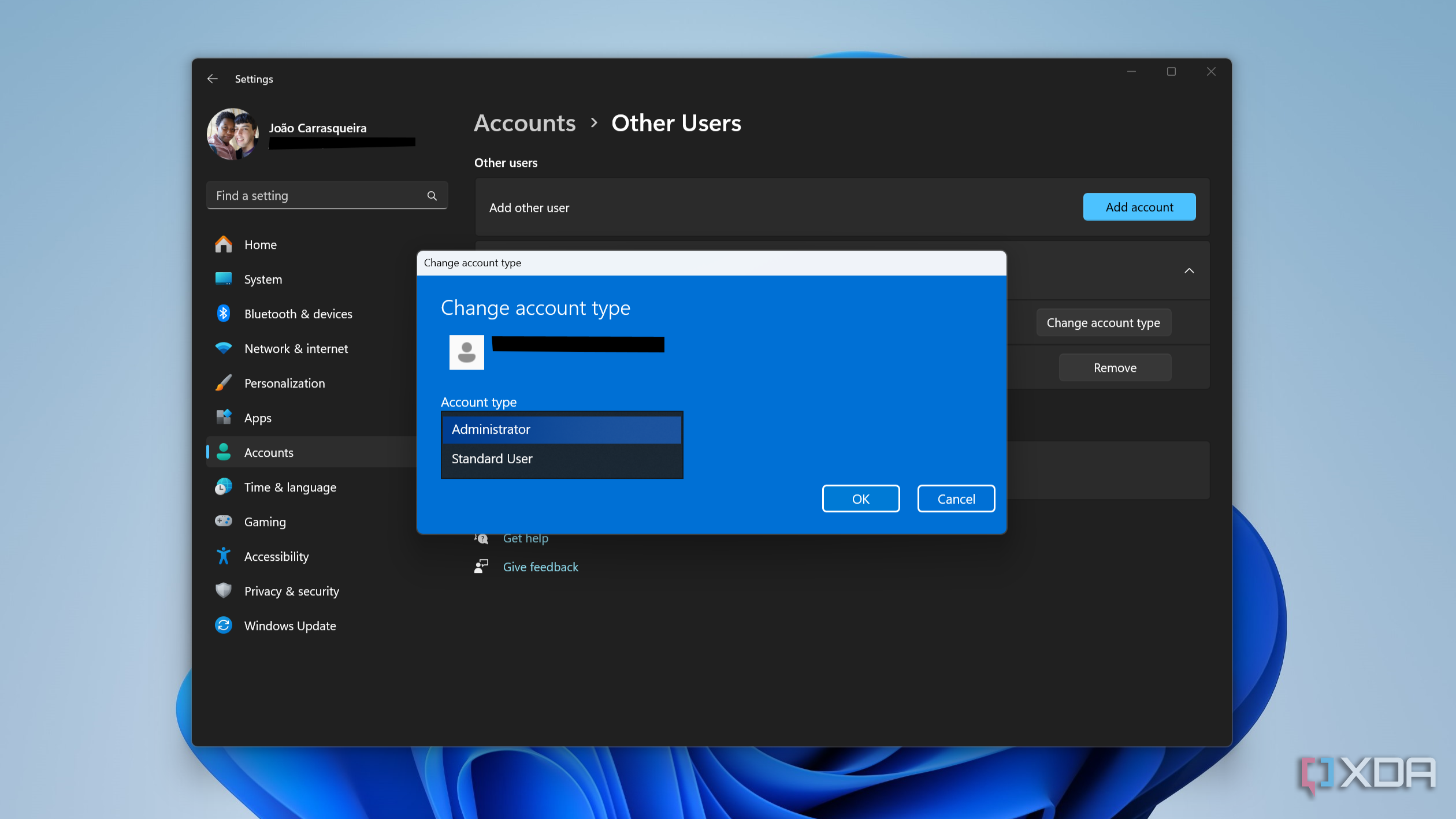
- Click OK.


The new account will now have administrator permissions, so all you need to do is sign into it.
3:57

Related
How to create a guest account on Windows 11
If you need to share a Windows 11 PC with someone, you can add a guest account under their name through the Windows 11 settings app
Change Microsoft account email address
Finally, you can change the email address associated with your Microsoft account. This may be the best option when abandoning an email address you no longer use. For instance, eliminating an old AOL email address and switching to Gmail. Changing the email address associated with your Microsoft account will also change the administrator email address in Windows 11.
- Open the Settings app and navigate to the Accounts section.
- Click Your info under account settings.
- Under Related settings, click Accounts.
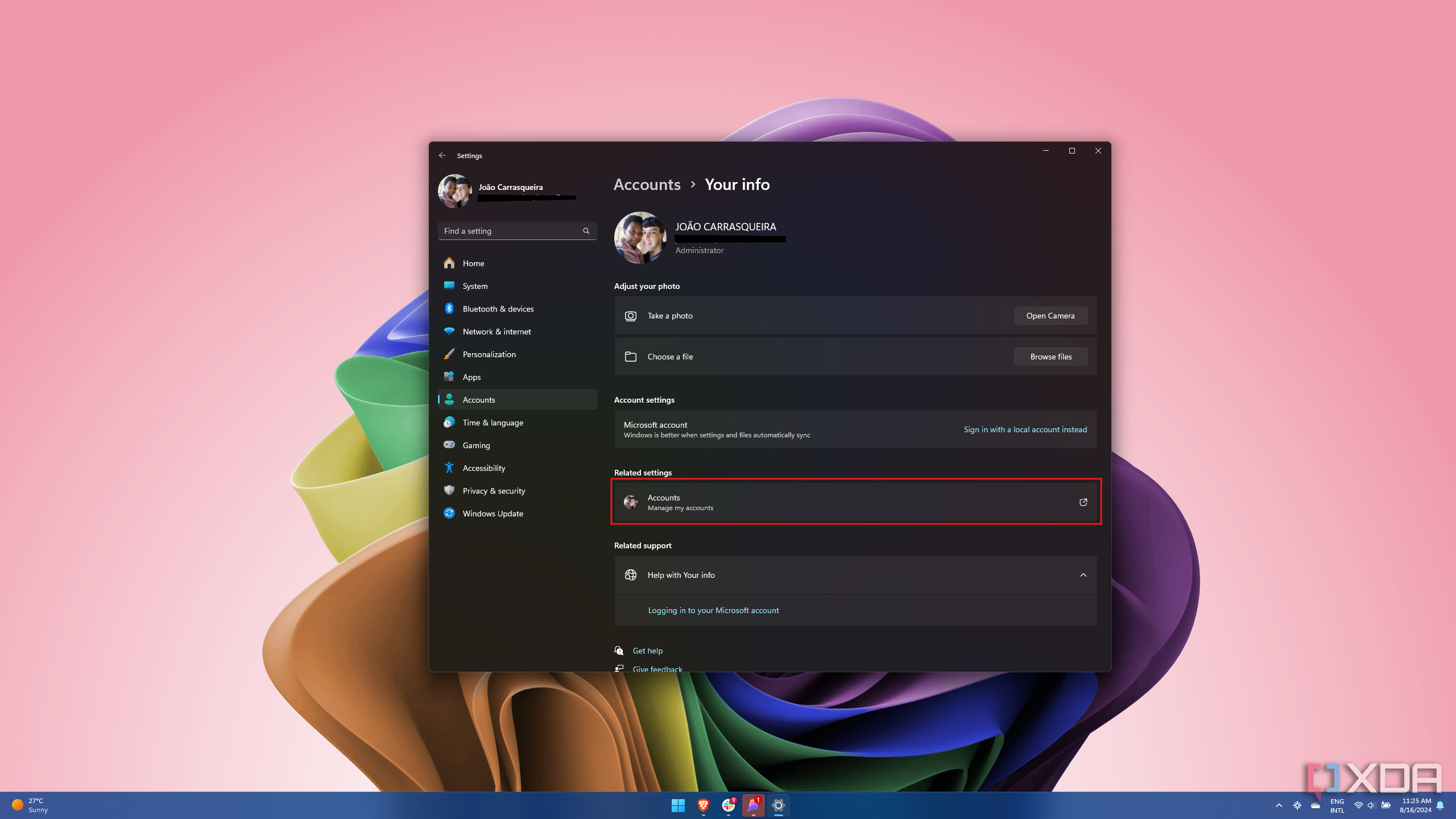
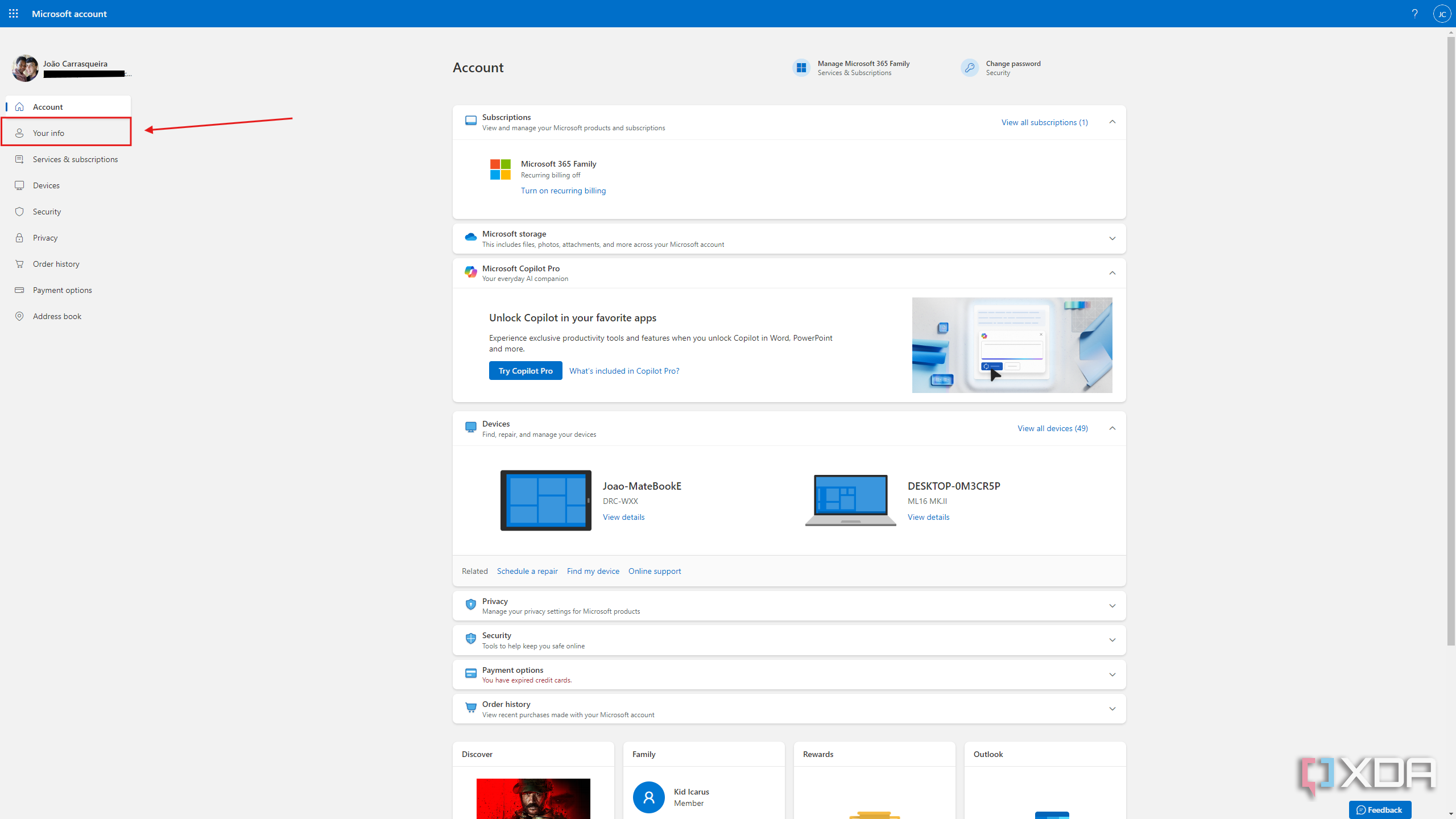
- Sign in to your Microsoft account (if promtped) in the newly opened web browser window.
- Click the Your info tab on the left side of the screen.
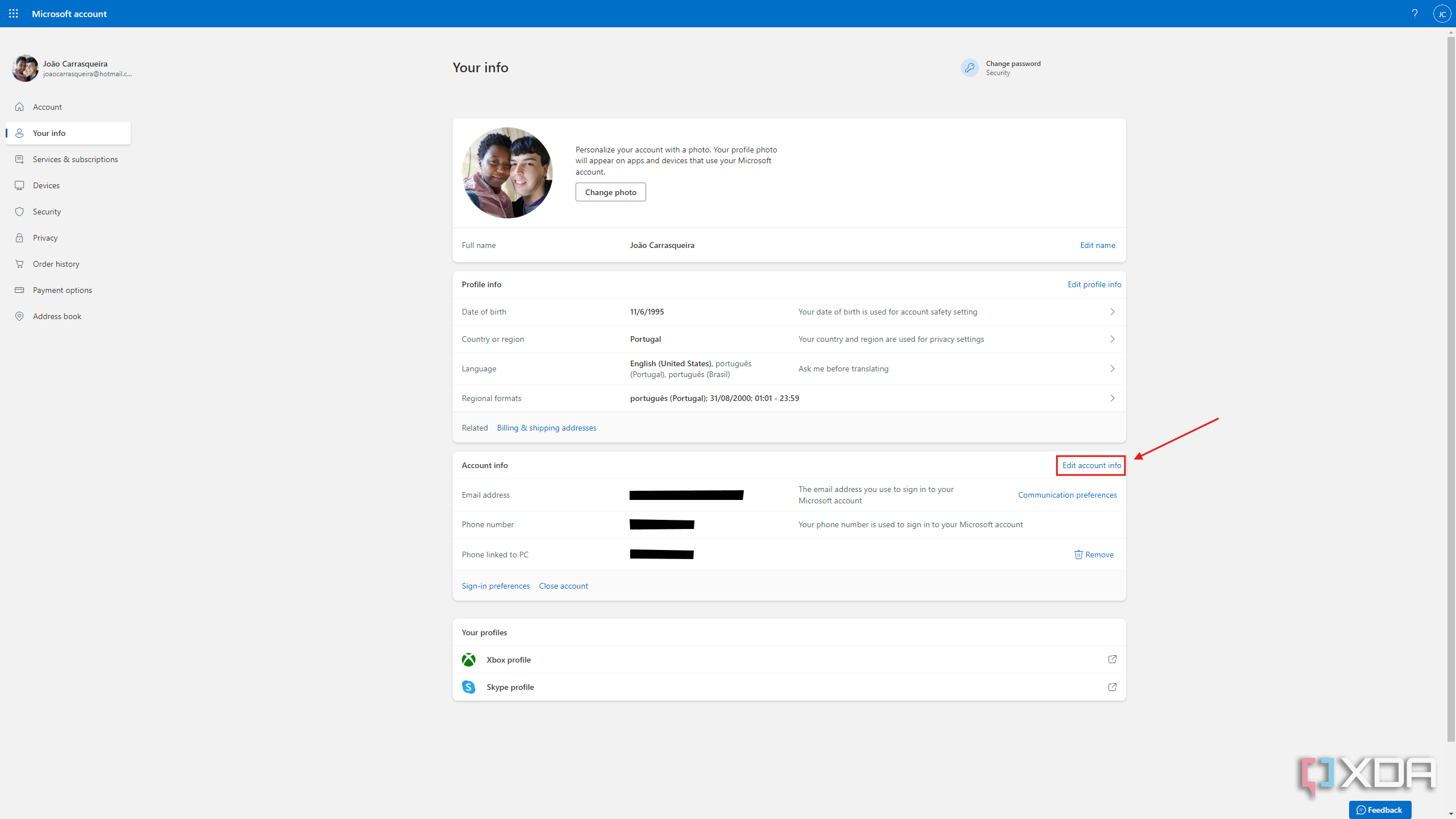
- Select Edit account info.
- Click Add email.
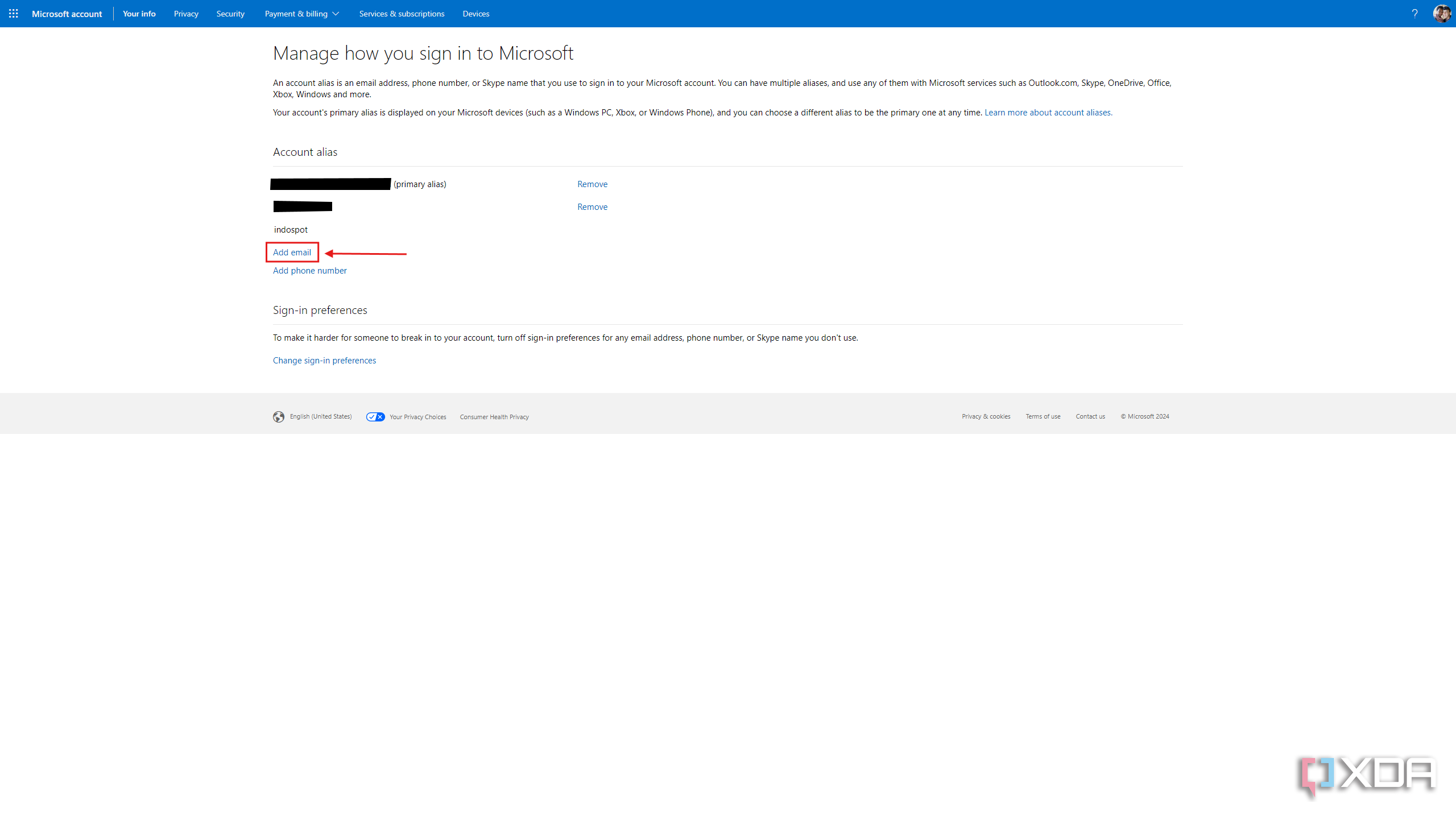
- You can either create a new email address or use an existing address as an alias for your account. Click add alias when you’re done.
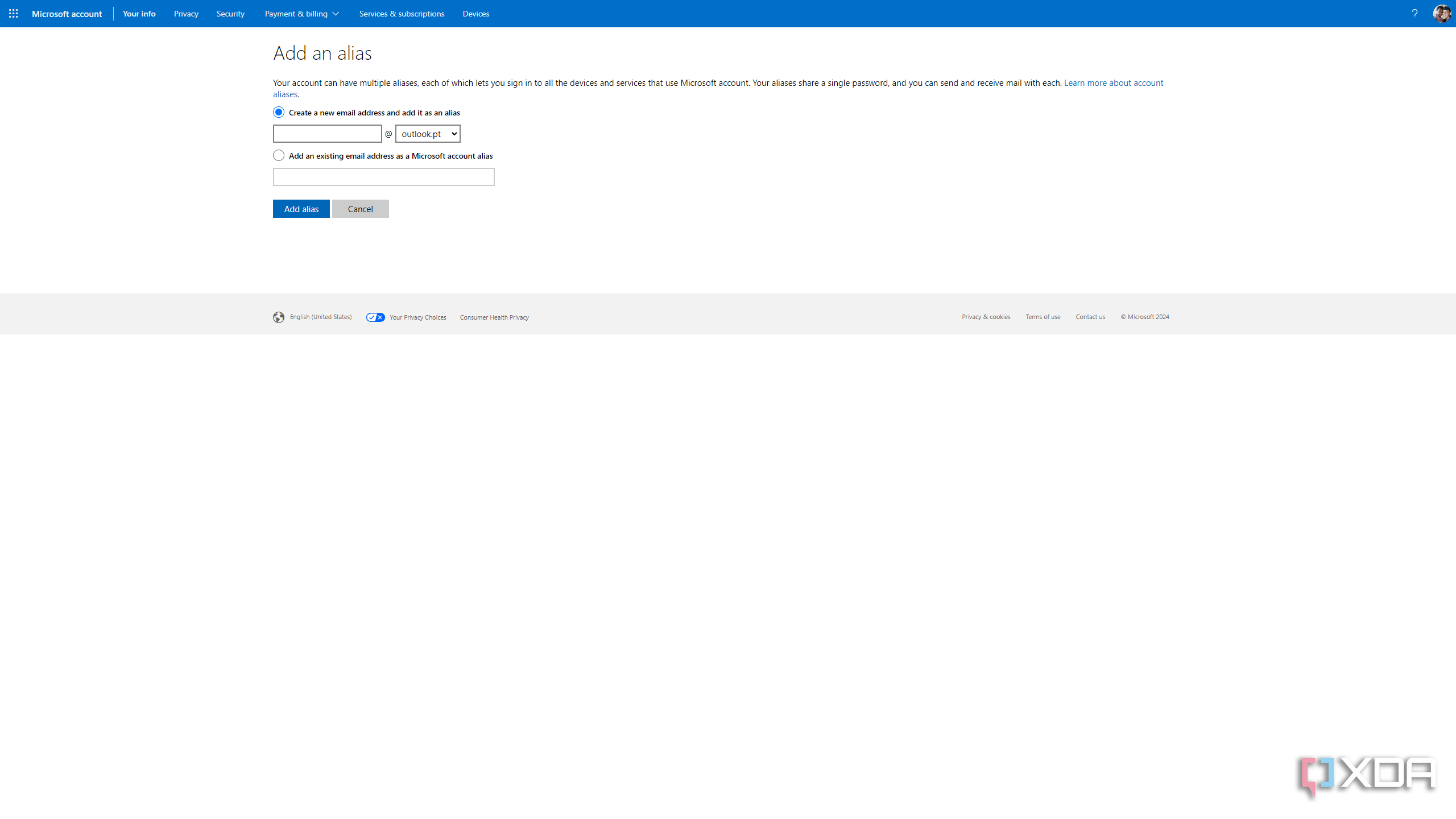
- You can now change the primary alias to the new email address and delete the old one if it is no longer needed.


You can also remove the email altogether
Microsoft keeps pushing users to sign in with a Microsoft account on Windows 11, and there are some legitimate benefits to it, though it can lead to articles like this due to it being a bit harder to pass on a laptop to someone else. However, it’s still manageable if you know what you’re doing.
That being said, you always have the option to remove the Microsoft account altogether and just use the PC with a local account, which may make things a bit easier for you. Hopefully, Microsoft doesn’t remove that option in the future.

Related
5 reasons Microsoft doesn’t like local accounts on Windows 11
Microsoft pesters users a lot to use an online account in Windows 11. But why is that?
#change #administrator #email #Windows
source: https://www.xda-developers.com/how-change-administrator-email-windows-11/
/cdn.vox-cdn.com/uploads/chorus_asset/file/25576715/Nevera_R_Hypercar.jpg?w=1068&resize=1068,0&ssl=1 "Rimac’s Nevera R makes the world’s fastest production EV a little faster")

