

-
Acer Swift X (2024)
The high-performance model
Premium creator laptop
The Acer Swift X is a premium creator laptop with excellent specs. It comes with up to an NVIDIA GeForce RTX 4070 GPU, 32GB RAM, and up to 1TB of storage. This laptop also has multiple AI features and a beautiful OLED display that’s just perfect for creatives.
Pros- Excellent OLED display
- Dedicated GPU
- Has multiple AI features
Cons- No touch-screen
- Bulky and heavier than the Swift Go
-
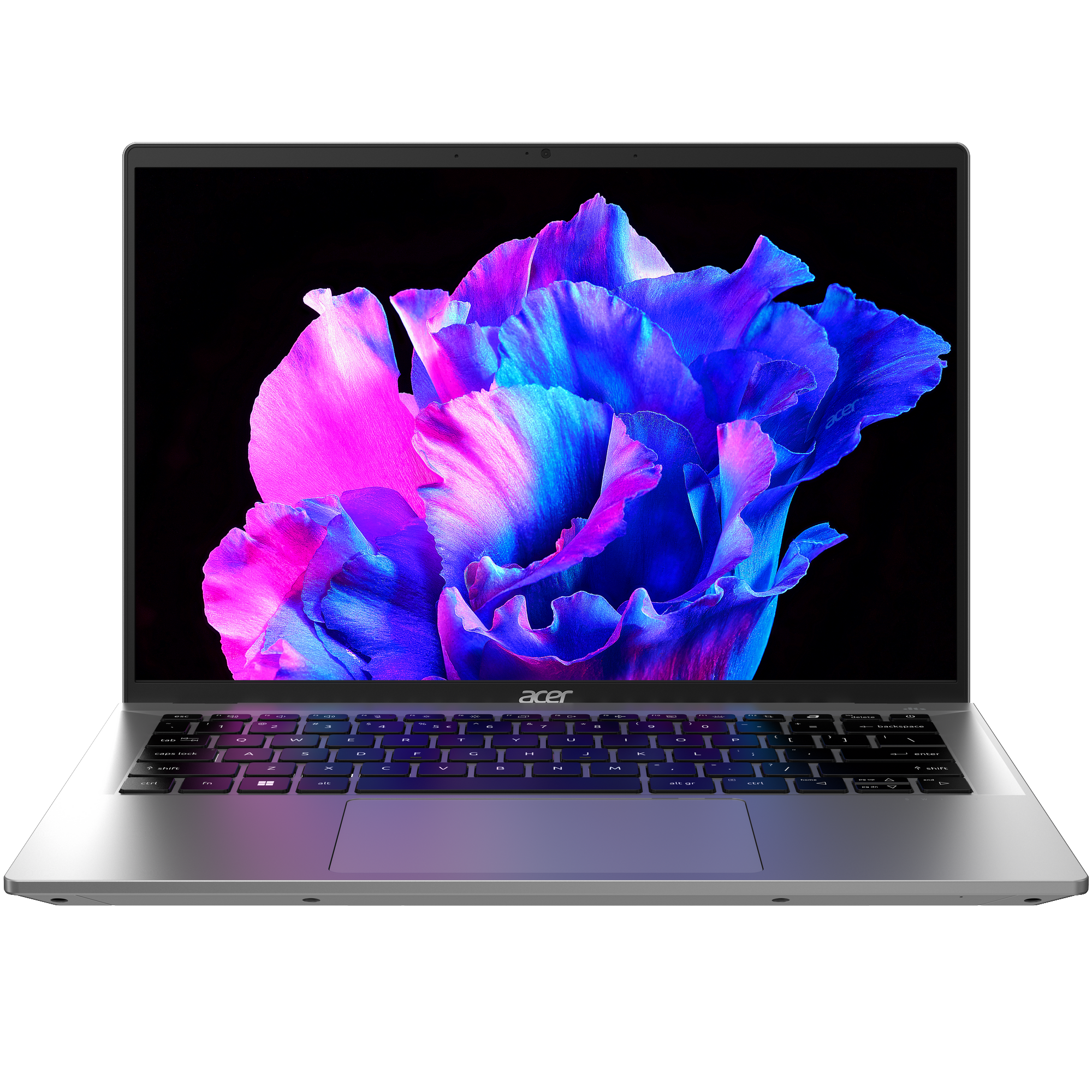
Acer Swift Go 14 (2024)
Mid-range option
Budget productivity machine
Looking for a budget productivity laptop with decent specs? Look no further than the Acer Swift Go. It has Intel’s latest processors, up to 32GB RAM, an OLED display with a 90Hz refresh rate, and up to 1TB storage. This laptop is an excellent choice for on-the-go productivity and is portable, well-performing, and endowed with AI features.
Pros- Portable and lightweight
- Latest Intel processors
- Great webcam
Cons- Inconsistent battery life
- Loud fan noise

Choosing between two different laptops can be a chore, especially if they are from the same brand and offer the latest specs. This is the case with Acer’s prominent lineups: the Acer Swift X (2024) and the Acer Swift Go (2024). Both laptops have the latest Intel CPUs, up to 32GB RAM, a good selection of ports, and up to 1TB storage.
However, while the Swift X model represents one of Acer’s best laptop lines, the Swift Go has always been its mid-range option. For this reason, both laptops share many differences that make one the winner, even though they have the latest Intel processors. Without much ado, let’s dive into what sets these laptops apart to help you decide the ideal one for your needs.
Price, availability, and specs
A price difference that’s worth paying for
Both laptops are currently available on Acer’s online store and other retailers and stores. The Acer Swift X starts at $1400, while the Swift Go starts at $800. Given the price difference between both devices, it’s only fitting that you expect more from the Acer Swift X.
The laptop is available in two models, one sporting an Intel Core Ultra 5 125H and the other having an Intel Core Ultra 7 155H. You can spec up the GPU from an NVIDIA GeForce RTX 3050 to an RTX 4070 and choose between a 2.5K IPS display and a 2.8K OLED display, both with a 120Hz refresh rate.
The Swift Go is also available in two models: one with an Intel Core Ultra 5 125H processor and the other with an Intel Core Ultra 7 155H processor. However, unlike the Swift X, there’s no dedicated GPU on the Swift Go models, meaning you’ll be working with the new Intel Arc integrated graphics. The Swift Go is also available in two different display configurations, including a 2.8K 90Hz OLED display and a 1920x 1200 60Hz IPS display. That said, you can configure both laptops with up to 32GB of RAM and 1TB of storage, so you’ll get enough speed and storage for your workload.
-
Acer Swift X (2024) Acer Swift Go 14 (2024) Operating System Windows 11 Home Windows 11 CPU Up to Intel Core Ultra 7 155H Intel Core Ultra 5 125H & Ultra 7 155H GPU Up to Nvidia GeForce RTX 4070 Intel Arc graphics (integrated) Storage Up to 1TB PCIe 4.0 SSD Up to 1TB PCIe 4.0 NVMe SSD Display (Size, Resolution) Up to 14.5-inch OLED, 16:10 aspect ratio, WQXGA+ (2880×1800), 120Hz refresh rate, 100% DCI-P3, 500 nits, DisplayHDR 500 True Black, Eye Safe Certified 14-inch, 16:10 aspect ratio, upto 2.8K OLED 90Hz refresh rate Camera Full HD 1080p webcam Quad HD 1440p webcam with Acer PurifiedView Colors Steel Gray Silver Ports 1 HDMI, 1 USB0A 3.2 Gen 1, 1 USB-A 3.2 Gen 2, 1 USB-C 2x Thunderbolt 4 (USB-C), 2x USB 3.2 Gen 1 Type-A, HDMI 2.1, 3.5mm combo headphone jack, microSD card reader Dimensions 12.71×8.98×0.7 inches (322.8×228.1×17.8mm) 12.3×8.6×0.59 inches (312.42×218.44×14.96mm) Weight 3.42 pounds (1.55kg) Starting at 2.91 pounds (1.32kg)

Acer Swift X (2024): Price, improvements, and everything to know about this creator’s laptop
The Acer Swift X (2024) is being supercharged with Intel Core Ultra H-series processors and upgraded OLED display technology.

Acer Swift Go 14 review: Core Ultra is a game-changer for Intel
It’s one of the first laptops with Intel Meteor Lake
Design
Minimalist exterior and new co-pilot keys

Both laptops offer a sleek, minimalist design, though the Swift X feels more premium, while the Swift Go’s build quality feels cheap. They both sport an angular aluminum chassis, with the Swift X having a dark gray color and sharper edges and the Swift Go being silver with more subtle edges. Thanks to the larger battery, slightly larger display, and dedicated graphics unit, the Swift X is a tad bulkier than the Swift Go, meaning it has more heft at 3.41 pounds compared to the 2.76 pounds of its Go counterpart. The keyboards on both devices offer top-notch tactility, key travel, and comfortable typing experiences, so you won’t have an issue on that front.
Acer has also incorporated the Windows Co-Pilot key into the keyboard for quick access to AI features, and its Acer Sense key to help you manage your computer’s performance, thermals, and more. Both laptops feature the same number of ports, including two Thunderbolt 4 ports, two USB-A ports, one microSD card slot, HDMI 2.1, a Kensington lock, and a headphone jack. They also have larger touchpads that feel and work great, even though they’re made of plastic. Overall, both laptops share a similar design, so if a more portable and lightweight productivity machine is what you want, the Swift Go might be the ideal option for you.
Display
Better color accuracy on the Swift X

The display department is where both laptops start showing significant differences. Starting with the Acer Swift X, you can choose between a 14.5-inch 2560×1600 IPS screen or a 14.5-inch 2880×1800 OLED display. Both configurations have a 120Hz refresh rate and a 16:10 aspect ratio, ensuring you get a nice field of view without missing out on responsiveness when you decide to catch up on your favorite games or do some productivity tasks.
Creatives are also in for a ride as the color accuracy here is excellent, with true blacks, top-notch contrast, a vibrant image quality, and adaptive brightness. The OLED configuration offers 100% DCI-P3 coverage and is Calman-verified, meaning that you’ll enjoy high-level accuracy in your photos, videos, and animations. You should opt for this configuration if you’re a creative looking to enjoy an immersive viewing experience and industry-level color reproduction.

Render credit: Acer
Moving on to the Acer Swift Go, you’ll notice that the display, while great for a mid-range laptop, is not as good as what you get on the Swift X. You can choose between two configurations here, too, including a 14-inch 1920×1200 60Hz IPS display and a better 14-inch 2800×1880 OLED display with a 90Hz refresh rate. Both configurations have a 16:10 aspect ratio, and as you may have guessed, the OLED configuration has better color accuracy than its IPS counterpart with 100% DCI-P3 and HDR 500 True Black support. While we could not review the OLED version, we found the Swift Go’s IPS display great for standard use but quite shabby for creative purposes.
From our test, we found the IPS display supports 99% sRGB, 75% P3, and 75% Adobe RGB. As you can see, while the display is ideal for standard productivity tasks like using Word and surfing the web, it isn’t the best for Photoshop, Lightroom, and other creative uses. Ultimately, if you work in film and media and are deciding between the Swift X and Swift Go for the ideal laptop, the Swift X with OLED configuration should be the way to go. Otherwise, you can opt for any of the other configurations.
Performance
Dedicated GPU vs integrated GPU

The Acer Swift X’s performance is excellent, thanks to the new Intel Core Ultra processors and dedicated NVIDIA GPUs. You can configure the laptop with up to an Intel Core Ultra 7 processor and a GeForce RTX 4070 GPU. While you won’t get performance jumps like on the MacBook Pro M3, you’ll have no problems with the performance on the Swift X, whether for creative work, some light gaming, code compiling, or everyday productivity tasks. Also, thanks to the dedicated GPUs and NVIDIA’s Studio drivers, creating and gaming will improve as you can enjoy ray-tracing, DLSS 3.5, and ray reconstruction.
On the other hand, while the Swift Go’s performance isn’t something to scoff at, it won’t operate on the same level as the Acer Swift X. While they both feature the same CPUs, the Swift Go doesn’t have a dedicated GPU but relies on integrated Intel Arc graphics for its graphical processes. The Swift Go is basically a work laptop that can handle a bit of gaming, as the Intel Arc GPU can do just that. It’ll play games like Forza Horizon 5 and Cuphead on medium settings and provide reasonable frame rates, but it won’t do more.
Both laptops can be configured with up to 32GB RAM and 1TB storage, so you’ll have enough speed and storage for your tasks and files. It’s 2024; we can’t end the performance discussion without mentioning AI. Thanks to the Core Ultra processors having a dedicated NPU, both machines can execute on-device AI tasks, such as blurring your background during a video call and having your camera follow your gaze. Acer also has a dedicated AI Zone that offers enhanced image and video editing features and Acer Purified Voice 2.0 to help improve your audio quality during video calls.
Battery life and cameras
Average battery life on both devices

Thanks to the Intel Core Ultra’s tile design and efficiency cores, the Acer Swift X’s 76Wh battery is expected to last up to eight hours under normal working conditions. This is notable, considering the laptop houses a dedicated GPU, high-quality displays with high refresh rates, and a slightly larger screen size. On the other hand, the Swift Go sports a 65Wh battery, and our tests show its battery life to be inconsistent. The best we got was a little over seven and a half hours, and at its worst, it needed to be charged after three hours and 23 minutes.
Ultimately, despite the differences in battery sizes, you’re likely to experience similar battery life on both devices. Moving on to cameras, the Swift X has a Full HD 1080p webcam while the Swift Go sports a Quad HD 1440p webcam. Both are great for video calls but are not IR cameras, meaning Windows Hello won’t work on either device. Instead, you get a fingerprint scanner for security and login purposes.
Which should you choose?
The Acer Swift X is the clear winner
The Acer Swift X is the ideal laptop to choose between these two devices. It’s well-equipped with proper gaming, creating, coding, and productivity components. While it’s a bit bulky and heavier than the Swift Go, the Swift X is still a portable laptop that can be used for on-the-go productivity. It’s an ideal option if you want a premium laptop with the latest specs Intel and NVIDIA have to offer.

Acer Swift X (2024)
Editor’s choice
The Acer Swift X is a premium creator laptop with excellent specs. It comes with up to an NVIDIA GeForce RTX 4070 GPU, 32GB of RAM, and up to 1TB storage. This laptop also has multiple AI features and a beautiful OLED display that’s just perfect for creatives.
Now, that doesn’t mean the Swift Go is a bad choice. It also has Intel’s latest processors, AI capabilities, a decent display, and a good battery life. The Swift Go is an excellent choice if you’re on a budget, not looking to play games, and looking for a simple productivity laptop.

Acer Swift Go 14 (2024)
Budget option
The Acer Swift Go has Intel’s latest processors, up to 32GB of RAM, an OLED display with a 90Hz refresh rate, and up to 1TB storage. This laptop is an excellent choice for on-the-go productivity and is portable, well-performing, and endowed with AI features.
#Acer #Swift #Acer #Swift
source: https://www.xda-developers.com/acer-swift-x-2024-vs-acer-swift-go-2024/


