

If you’ve spent any time on the internet, you probably have a large folder of bookmarks on your browser. The longer your browsing history, the longer your bookmarks list gets, and that’s before factoring things like using different browsers on your desktop, laptop, or mobile devices, and other services like Pocket. You could have thousands of links, and that gets cumbersome to maintain.
Plus, there’s the ever-present danger of link rot, where one of your bookmarked URLs disappears from the internet. It’s never a good feeling when you navigate to a tutorial for something you rely on and the webpage is gone. Services like Pocket or Readwise are either no better than your browser’s bookmark folder or expensive to keep long-term, even if they do offer good features like archives of those links to guard against link rot. The good news is that there are plenty of options for self-hosting your own bookmark service. I’ve been using one called Shiori, which was designed as a replacement for Pocket, and it’s very, very good at what it does.
Related
Docker vs. Podman: Which one’s better for your self-hosting needs?
Can Podman dethrone Docker to become the king of containerization platforms?
Why self-host a bookmark manager?
Why not? (Plus, you get archives and a decoupling from your browser account)
While self-hosting does give me a higher level of autonomy over my digital hoarding, that’s not the main reason I decided to self-host a bookmark manager. It’s an annoying issue called link rot, where links stop pointing to their intended target for whatever reason. Ahrefs did a long study on link rot and found “at least 66.5% of links to the two million+ sites they sampled have rotted.” That’s a big problem, made even worse by the fact that some of these links were citations in legal journals or U.S. Supreme Court decisions.
Simply keeping my own list of bookmarks wouldn’t be enough to guard against this issue. But what would work is a bookmarking service that not only stores the URLs but also makes an offline archive of the webpage for archival use. Plus, it’s got browser extensions for Firefox and Edge, so it’s easy to save bookmarks while I browse. I can host it on my NAS with the Docker image, or I could have installed it as a portable app due to its single binary design. Oh, and it has an import from Pocket feature, so you’ll be able to grab any bookmarks you have there.

Related
I use Tailscale to remotely access my self-hosted services – here’s how
Tailscale provides an easy way to access your home server from external networks
Docker makes deployment easy
Self-hosting doesn’t need to be difficult to manage

Docker is many people’s first choice for self-hosting services, and I’m one of them. I love being able to spin up containers, link to a centralized storage server, and have perfect portability between devices when I upgrade. Shiori has its own Docker image, so the process here is straightforward:
-
If you are using Docker, as I did, all you need to run is the following command
docker pull ghcr.io/go-shiori/shiori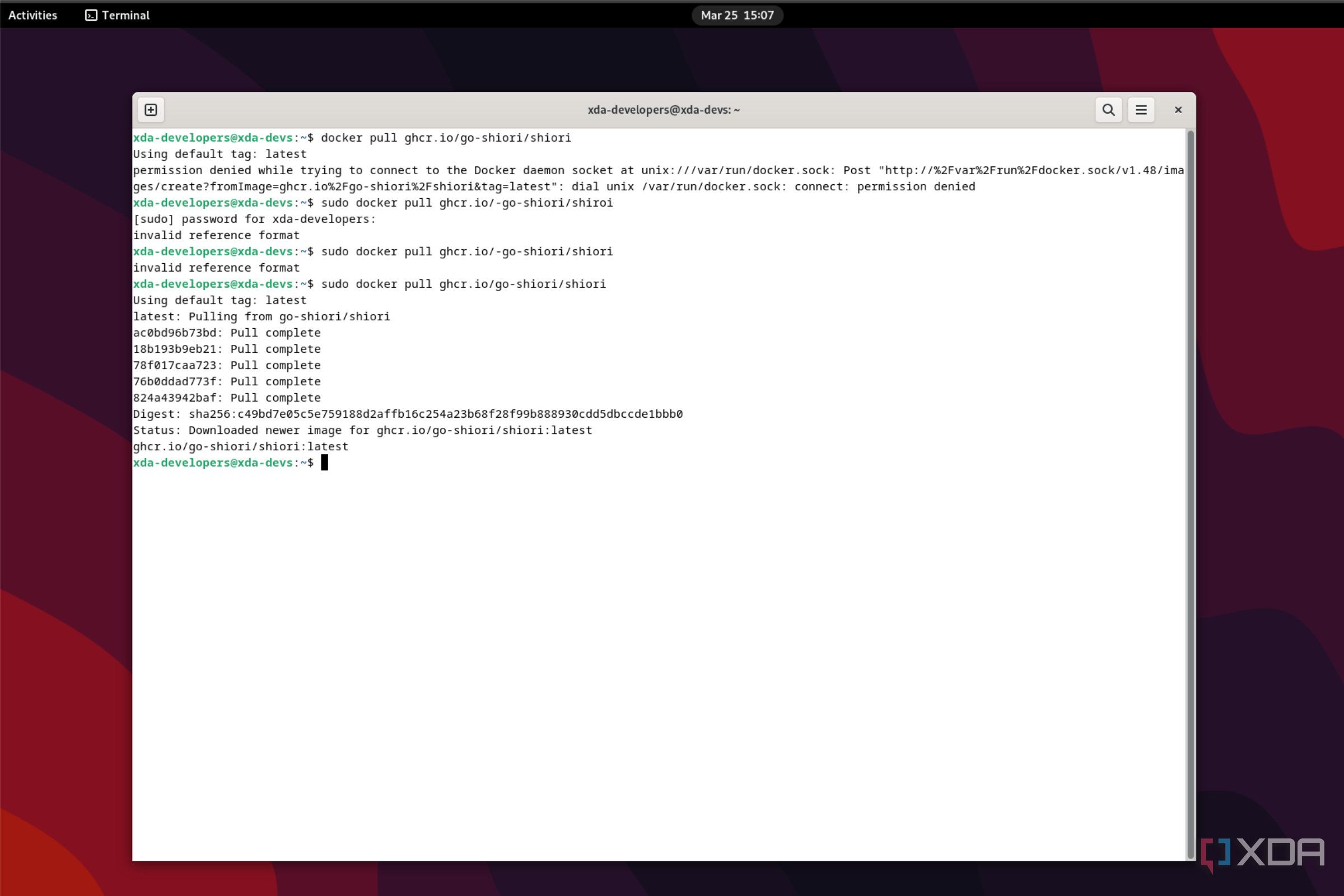
-
Then, we run the following command to bind the directory for saving the database, archive, and thumbnails:
docker run -d --rm --name shiori -p 8080:8080 -v $(pwd):/shiori ghcr.io/go-shiori/shiori

That gets you up and running, and you’ll be able to access Shiori from HTTP://localhost:8080.

Shiori
Shiori is a self-hosted bookmarking solution with GUI and CLI options for controlling your repository of web bookmarks and their archives.
Using Shiori
Adding bookmarks is simple, and even easier if you use Edge or Firefox

Once you’ve logged into the web interface, the Shiori interface is clean and simple. There are buttons for adding bookmarks, managing existing ones, and refreshing the database, and everything is stored in a nice grid with thumbnails. When you add bookmarks, you get the option to write custom titles and excerpts for your own records, and there are options for creating archives or ebooks from the content of that webpage.

Those last two options are important, as link rot claims many sources of important information, and being able to create an archive or unchangeable ebook of the contents is awesome. I like reading long documents on my E Ink readers, so I don’t get eye strain, but the browsers on them are rudimentary at best and often break formatting and other issues. But by creating an ebook, I can transfer that over to my tablet, and read it at my leisure. Plus, it means I have a second record of the important guides or other things I’ve bookmarked, just in case the worst happens to my self-hosting machine.

There are also browser extensions for Firefox and Edge, so you can add things to your Shiori database with a few clicks as you browse. The extension also lets you add tags so you can find the content later. You can use those tags to narrow down searches once you’ve got the inevitable thousands of bookmarks saved, which is handy.
I didn’t do this step because my Pocket account never really got used, but you can import your Pocket database with a few CLI commands, so you can get away from paying for subscriptions. I’d love to see this routine added to the web interface, but until then, it’s not terrible to import via terminal commands.
Self-hosting my web bookmarks with archives of the relevant content is amazing
Relying on third-party services to hold your important data is dicey at the best of times, and given the ever-changing nature of the Internet, it becomes even more important to keep control over your databases. Self-hosting Shiori or other bookmark managers gives you control over your bookmarks, and lets you store archives of the pages they link to, in case those pages disappear from the internet.
#Shiori #selfhosted #bookmark #manager #didn039t #needed
source: https://www.xda-developers.com/shiori-is-the-best-self-hosted-bookmark-manager-i-didnt-know-i-needed/


