

Once your home network starts getting more complex, like if you were to start self-hosting apps and services, you might want to consider setting up a reverse proxy to shield those services from the internet. This is essentially another server that sits between the device your self-hosted apps are on and the internet, but instead of providing access outward to the internet, it provides access to those apps.
That way, you get a single point of access for configuration, logging, and generally all-around easier management, as you can change things on one device without having to change them on the other self-hosted apps or other devices on your network. It’s a fantastic addition to any home lab setup, but each reverse proxy software does things slightly differently and comes with additional features that you might find useful on your home network. So, in no particular order, here are some of our favorite reverse proxies to make the management of your self-hosted apps and home network that much easier.
Related
5 reasons you should use a reverse proxy for your self-hosted apps
Easily open up access to your self-hosted apps without the headache of individually configuring them.
9
NGINX Proxy Manager (NPM)
The easiest way to expose your self-hosted apps while keeping your home network secure
Nginx is one of the most used reverse proxies, but its command-line interface is daunting to new users. Enter Nginx Proxy Manager (NPM), which adds a user-friendly dashboard to make the administration of your reverse proxy a simpler task. Along with the standard features of Nginx to expose web services within their network, NPM also adds free SSL via Let’s Encrypt, integration for Docker, support for multiple users, and thorough documentation in case you get stuck. Because of its simplicity, it’s a good choice for home lab use, although that means it isn’t easily scalable if your network infrastructure grows.

8
Envoy Proxy
Originally built by Lyft, this reverse proxy is fantastic for microservices
Originally developed in-house at Lyft, Envoy Proxy is designed to make using microservices easier, by handling the inter-service communications. That’s important for modern app design, but the software has been designed to handle all the tasks usually associated with a reverse proxy as well, so it can be configured to handle multiple workloads on your home network. You can use it for an ingress proxy, or even an egress proxy and have it handle all the traffic for your network in both directions. It’s also able to handle network-level security, authentication, load balancing, and service discovery, so it’s ready to expand as your network does.

7
Apache
Most web servers can be set up as simple reverse proxies

For a simple reverse proxy setup, an Apache web server can be configured to do the job, hiding your backend servers or self-hosted apps from the internet. That could mean you would end up with two Apache servers or more on your network, one handling routing and external requests, and the other(s) serving content through the reverse proxy. It’s able to do this because it has a flexible structure that can be extended by plugins or modules, and the mod_proxy module is the one that enables it to act as a reverse proxy.
While it might not have some of the advanced features of other reverse proxies, it can handle SSL encryption, load balancing, caching, compressing of HTTP responses, and other basic functions you might want to enable.

6
HAProxy
One of the world’s most-used reverse proxies and is shipped with most mainstream Linux distros
HAProxy is a high-availability proxy that’s used primarily to improve uptime across a server environment. It’s used across a wide range of internet services that you’ll recognize instantly, including GitHub, Twitter, Imgur, and Instagram. While you might not need the load balancing features for your home network setup, you don’t have to set them up and HAProxy is just as comfortable being used as a simple reverse proxy to keep administration of your self-hosted apps easy.

5
Traefik
Advanced application proxy with self-discovery of components and routing

Traefik is built differently to web servers like Nginx that also have reverse proxy functionality, because it has a large focus on cloud native applications and was designed as a proxy from the start. As such, it has integrated support for microservices, and Docker, Kubernetes, Rancher, and Consul, so you can link your containerized services together in one administration panel. It also has a user-friendly interface, built in SSL from Let’s Encrypt, and has auto-discovery of services, so it makes it easier to roll out. You also get integrations with graphing and monitoring software like Grafana, DataDog, and Prometheus, giving you a powerful proxy solution with deep insights into traffic.

4
Ngrok
Open secure tunnels to localhost services easily for testing and development
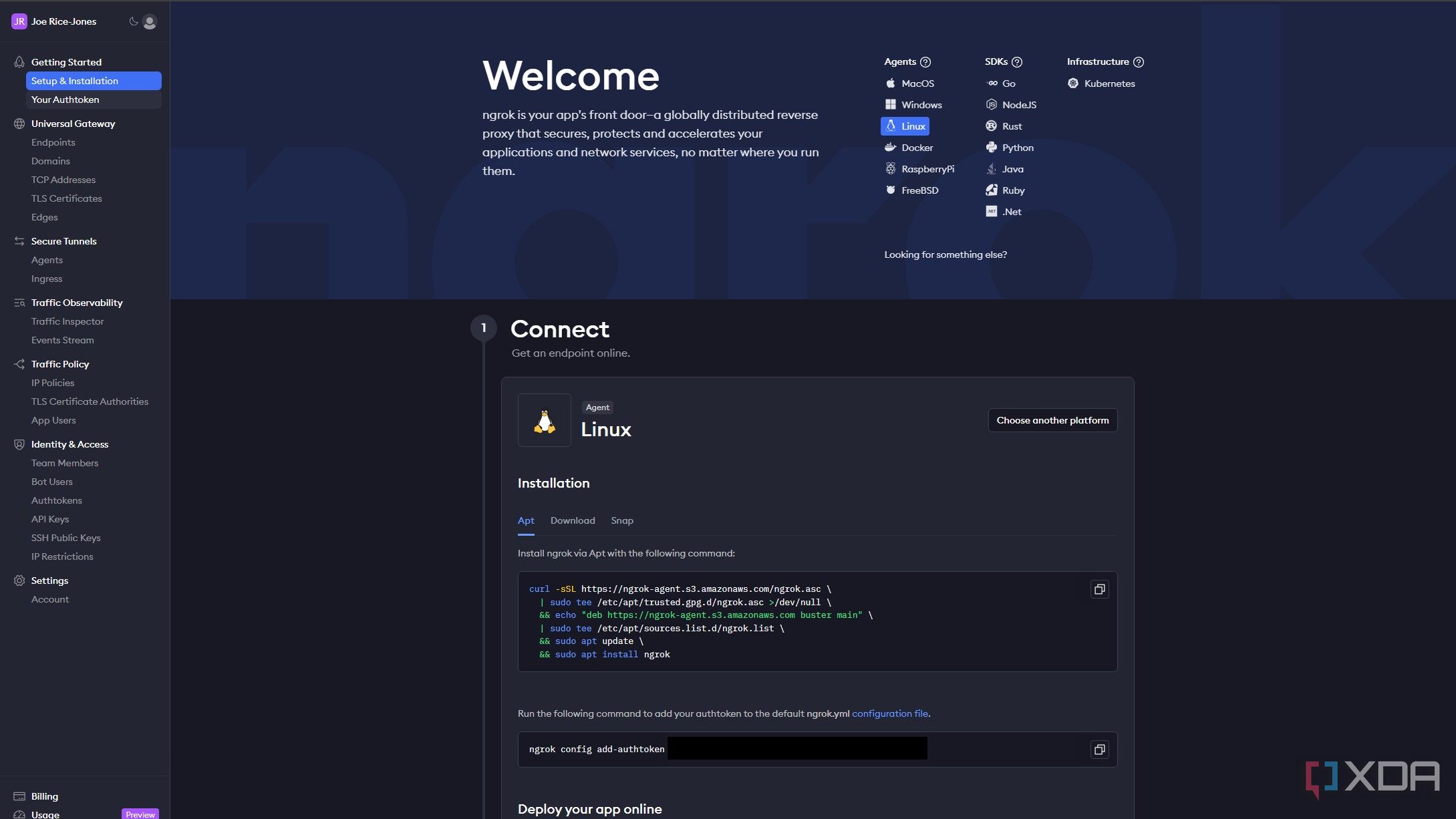
While many reverse proxies are there for opening production-ready services to the internet, Ngrok is designed to be a development tool for testing local web servers. It creates secure tunnels to localhost machines, so you can easily test APIs or third-party service integrations before pushing code out to production servers. It’s built for security, with TLS/SSL encryption, multiple ways of authenticating users, access control, and deep logging and monitoring features. Plus, it can track and replay HTTP requests, so you can check that API calls or webhooks are functioning properly and passing the correct data when called. As such, it’s not a replacement for a reverse proxy in front of your self-hosted apps, but more of a tool for your testing environment.

3
Pipy
High-performance reverse proxy and load balancer with built-in JavaScript engine

Pipy is another open-source network traffic processor designed to be lightweight and high-performance. It’s written in C++ but uses JavaScript (PipyJS) for scripting events and services, so you’ll configure your reverse proxy in a JavaScript program. The main Pipy program is only 6MB in size, so it’s fantastic for use on memory-limited servers. But it’s also similar to Envoy, in that you can set up a Pipy proxy as a sidecar on every application process, and have the proxies handle inter-application communications. Plus, you can enable differing rules and policies for upstream services, because not every external application needs to access every microservice you have running.

2
YARP
Built by Microsoft using ASP.NET and .NET

YARP was developed internally by Microsoft, when a bunch of internal teams started their own proxies before merging them into one. It’s built on .NET using ASP.NET (and .NET 6 and newer) and designed for easy customization for various deployment scenarios. The documentation has easy to follow steps for deployment and there’s a full example of a simple reverse proxy server to get you going if you prefer to dive right in.

1
Sozu
Designed and built in Rust with a heavy focus on stability

Sozu is an open-source, fast and lightweight HTTP reverse proxy that was written in Rust, to harness the memory safety and concurrency capabilities of that programming language. The end result is that the reverse proxy is faster than most, and is able to handle high loads with minimal latency. It was also written to enable configuration changes without having to drop connections, thanks to an immutable architecture that copies the existing module, makes the config changes in the copy, before moving the connections across and deleting the original module. Perfect for high-availability environments, but there’s no reason you shouldn’t use it at home as well to learn the additional networking concepts that it allows.

Putting a reverse proxy on your home network makes self-hosting easier and safer
Whether you are self-hosting a few apps on a NAS or running a cluster of production servers, routing them through a reverse proxy brings many benefits. On top of not exposing your device IPs to the internet, you can also gain load balancing, data encryption, and the ability to access on-premises and cloud services from the same URL. The best reverse proxy software also includes protection from DDoS attacks, and features like the ability to set up access lists and MFA. And of course, the simplified administration of pointing services to your reverse proxy instead of having to individually manage services.
#reverse #proxies #check #home #network
source: https://www.xda-developers.com/reverse-proxies-you-should-check-out-for-your-home-network/

/cdn.vox-cdn.com/uploads/chorus_asset/file/25831586/STKB310_REDNOTE_XIAOHONGSHU_B.jpg?w=1068&resize=1068,0&ssl=1 "RedNote: what it’s like using the Chinese app TikTokers are flocking to")
