

When it comes to tools you should use on your PC, Task Manager is one of the more useful tools for power users on Windows 11. It’s quite common to use it for basic functionality like ending processes that refuse to close, but aside from that, there is a lot more it can do, too. If you want even more functionality, though, then you should try out an alternative like Task Manager DeLuxe.
There are a few reasons why power users should at least try a Task Manager alternative, though they can be a learning experience for people who want to learn more about what they can do with their PC.
5
Detailed process information
All the information you could need
The standard Task Manager will show you basic information about processes, including how much CPU, GPU, and RAM they’re using. However, there’s more information available under the hood that’s available to if you want it. That includes how much a process has historically written and read from the disk, how many threads it has open in the background, and even what process started it.
It’s a lot more detail than you’ll typically get from the Task Manager, and it can be great for troubleshooting applications that keep starting and you can’t figure out why. Plus, you can see how different tasks link together, as it will group up processes belonging to the same family so that you can see how they link up. For example, if you start applications from the desktop, they’ll fall under the “explorer.exe” process.
Diagnose your PC

If you want to troubleshoot problems with your PC, there’s a lot built in that can make it easier. You can manage logged-in users through the Sessions tab, and you can start, stop, and configure Windows services that might be running in the background. You can also look at your disk usage to see a graph of what’s being written and when and hover over it to see what processes were active at that time.
Even better, it can manage the built-in Windows services, too. You can use it to start, stop, or configure them, which can be really helpful if you’re having PC troubles and you’re trying to find what the cause is.
3
No installation required
Completely portable

Task Manager DeLuxe doesn’t need to be installed, and it’s a fully portable application. You download it, you run it, and it just works. There are multiple binaries in the zip file, so just make sure to choose the right one from your PC when you launch it.
This makes it incredibly easy to use, and you can even replace the current Windows Task Manager with it if you prefer it. It can have as much or as little presence on your PC as you want it to have.
2
Remove more start-up programs
More than Task Manager offers

On Windows, you can change your start-up programs from the default Task Manager, but not everything shows up. Some entries are hidden, but Task Manager DeLuxe will show you all of them in the Autoruns tab. Way more processes are shown here as it checks the Windows Registry to find them, so it’s a good idea to check it out to really see everything that might be running on your PC that you might have forgotten about.
In this section, you can also delete unwanted entries, so you can speed up your PC’s boot time and prevent unwanted applications from starting when you turn it on.
1
It’s completely free
No cost or advertisements
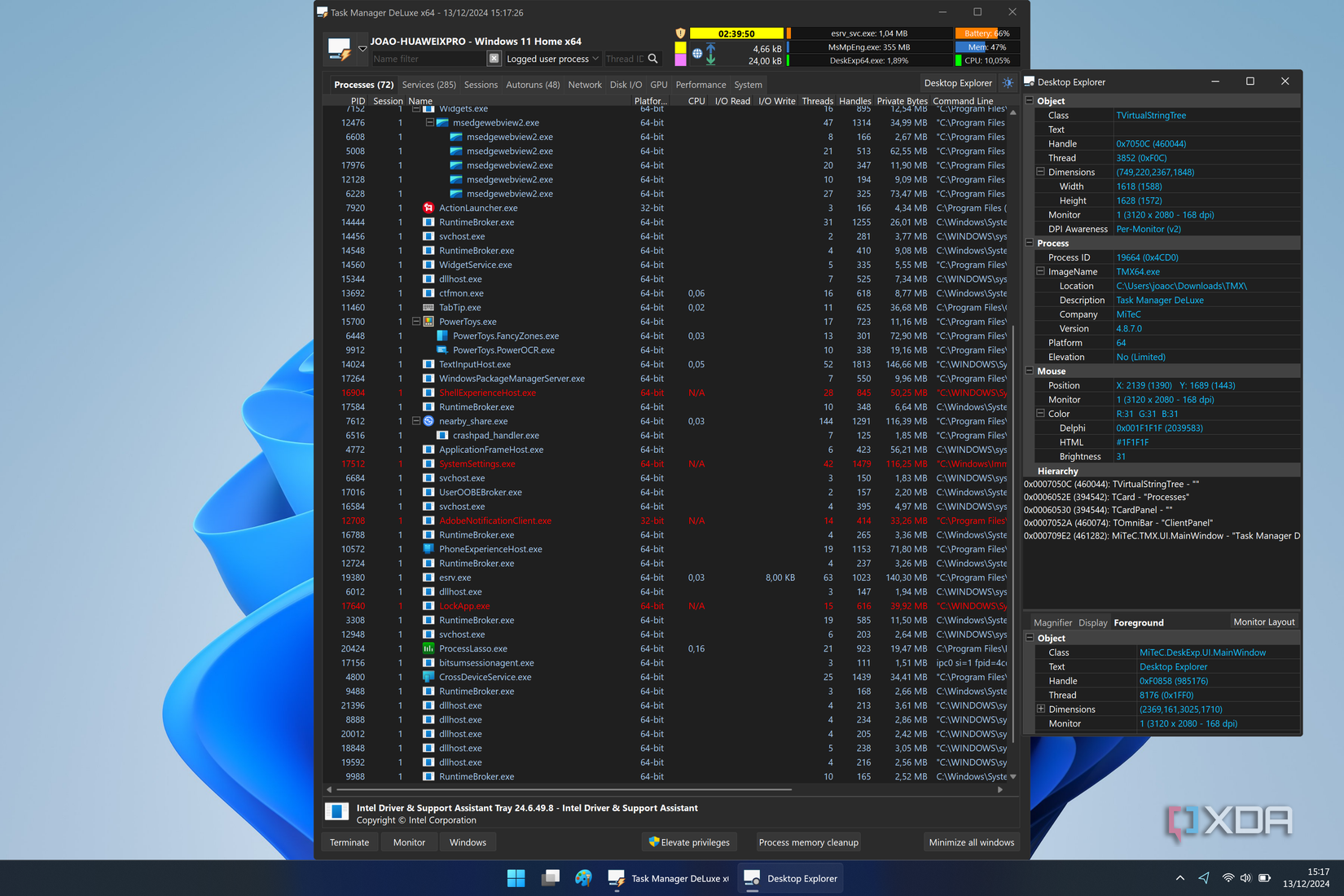
Task Manager DeLuxe is completely free and still being actively updated. There’s no subscription cost, advertisements, or even an upfront fee, making it a perfect tool to try out and see if you like it. It might not be your favorite, but it’s a tool that can help you dip your toes into the world of Task Manager alternatives.
Other free alternatives include Process Lasso, System Informer, and Process Explorer. There’s a world of options out there, so give them a try and see which is your favorite!
#reasons #Task #Manage #DeLuxe #musthave #power #users
source: https://www.xda-developers.com/reasons-task-manager-deluxe-must-have-power-users/


