

The processor is one of the most important components inside any PC, be it a laptop or desktop. This piece of technology is responsible for handling instructions that need to be processed for running an OS such as Linux or Windows. The better the processor you have, the more the CPU will be able to handle and the faster and more responsible the system will be. We’ve got the best CPUs available right here that cater to various budgets and system builds.
The best CPUs you can buy in 2024
Intel isn’t alone in offering excellent value processors at a reasonable price and AMD is here with the AMD Ryzen 7 9700X. It’s priced lower than the Intel Core Ultra 265K and comes with far fewer cores and threads but these cores are considerably faster and you can overclock this 65W chip with ease. Just like the Core Ultra 7 265K, the AMD Ryzen 5 7600 is one of the best processors in terms of value. The new Zen 4 architecture is built on a 5nm process, making the AMD Ryzen 7 9700X incredibly efficient. As was the case with previous AMD Ryzen 7 processors, you’re getting 8 cores and 16 threads.

AMD only supports DDR5 RAM with its Ryzen 9000 processors. This means you will need a new motherboard for the AM5 socket and DDR5 RAM if you’re moving from an older system with DDR4 memory. Returning to performance, 38MB of total cache is fantastic for processing heavy loads. Remember those eight cores? They can boost up to 5.5GHz, which is seriously fast and what you’d hope to achieve through overclocking in prior generations of CPUs. The Ryzen 7 9700X stands out from AMD’s Ryzen 9000 range for the best value. Unless you’re building a workstation or something that needs as many threads as possible, say for streaming or creative work, buying this one is a no-brainer.

Runner-up best CPU
Intel Core Ultra 7 265K
Our favorite CPU from Intel’s 14th Gen stack
Rocking 8 P-cores and 12 E-cores, the Intel Core Ultra 7 265K is not short on computing power. Intel managed to cut power draw and drop hyperthreading without sacrificing performance, creating a fantastic and efficient CPU.
- Cores
- 8P / 12E
- Threads
- 20
- Architecture
- Arrow Lake
- Process
- TSMC N3B
- Socket
- LGA 1851
- Base Clock Speed
- 3.9 GHz / 3.3 GHz
- Boost Clock Speed
- 5.4 GHz / 4.6 GHz
- Cache
- 30MB L3 + 36MB L2
- PCIe
- 5.0
- Graphics
- Intel Graphics
- TDP
- 125 W
- Great value
- 20 cores
- Impressive performance
- Weaker than competition for gaming
- Still draws a lot of power
- Requires new motherboard and DDR5 RAM
The Intel Core Ultra 7 265K is one of Intel’s Arrow Lake Core Ultra processors and it just so happens to be one of the best to buy if you’re building a PC from scratch. Replacing the Core i7-14700K, this new CPU is better in almost every way. It uses less power, producing less heat, yet still manages to pack a punch even without Hyperthreading. The Intel Core Ultra 7 265K comes with 20 cores and threads, consisting of 8 P-cores and 12 E-cores. All this performance on a chip with a default TDP of 125W. P-cores will always prioritize foreground applications, such as gaming, calling on the E-cores when required, or for background tasks.

What all this means in simple terms is outstanding performance in lightly threaded tasks, such as gaming, and competitive performance in heavier, multi-thread workloads. For gaming, you’ll only lose out on a few frames per second compared to an Intel Core Ultra 9, but you’ll save on cost and power draw. It’s not quite as fast as some of AMD’s Ryzen 9000 and X3D chips, however. It’s also unlocked and can be pushed up to a maximum of 244W. Should you also end up with an Intel Arc GPU such as the Intel Arc A770, the Core Ultra 265K can use its iGPU in conjunction with the Arc to unlock features like Deep Link and Hyper Encode.

Best CPU for creators
AMD Ryzen 9 9950X
For those who need a CPU for heavier software
With the same cores and threads as its predecessor, the AMD Ryzen 9 9950X is a powerful processor built on the new Zen 5 architecture. It’s cheaper, doesn’t run as hot, and sucks less power from the motherboard, resulting in an efficient flagship CPU.
- Cores
- 16
- Threads
- 32
- Architecture
- Zen 5
- Process
- TSMC 4nm, 6nm
- Socket
- AM5
- Base Clock Speed
- 4.3 GHz
- Boost Clock Speed
- 5.7 GHz
- Cache
- 81 MB
- PCIe
- 5.0
- Graphics
- AMD Radeon Graphics (2 cores)
- TDP
- 170 W
- Amazing multi-threaded performance
- 16 cores and 32 threads
- Relatively good performance per watt
- Requires a decent AIO cooler
- Only supports DDR5 RAM
AMD makes some of the most powerful processors in the market and the AMD Ryzen 9 9950X is about as good as you can get without entering enthusiast and workstation territories. Whilst Intel moved to a hybrid core design, AMD is sticking to its more traditional guns and the Ryzen 9 9950X is about as traditional as you can get with a flagship processor. It has 16 physical cores and 32 threads of raw power. This processor isn’t the best pick for gaming since 16 cores are largely overkill and most of them will remain idle in even the more demanding PC titles.

Where such a processor truly shines is in content creation, be that streaming or video editing. If you need a lot of cores for heavy tasks, this is the CPU for the job. Like the excellent AMD Ryzen 5 9600X, AMD will only be supporting DDR5 RAM here. It’s impressive in use and can even take on Intel’s Core Ultra 9 285K even in single-core tests, which is something Intel used to score big on. Cooling may be a problem if you don’t have a capable AIO liquid cooler at hand. The AMD Ryzen 9 9950X gets hot. Ultimately AMD has made a pretty meaningful update to the Ryzen family and its flagship model is going to be popular with creators.

Best CPU for enthusiasts
Intel Core Ultra 9 285K
The CPU for those who want uncompromising performance
One of Intel’s more powerful Arrow Lake processors, the Core Ultra 9 285K has 24 cores and threads, DDR5 RAM support, lower power draw than previous generation chips, and impressive specs to keep up with AMD Ryzen.
- Cores
- 8P / 16E
- Threads
- 24
- Architecture
- Arrow Lake
- Process
- TSMC N3B
- Socket
- FCLGA1851
- Base Clock Speed
- 3.7 GHz / 3.2 GHz
- Boost Clock Speed
- 5.7 GHz / 5.5 GHz
- PCIe
- 5.0
- Graphics
- Intel Graphics
- TDP
- 125 W
- Cache
- 36MB L3 + 40MB L2
- Amazing performance
- 24 cores and threads
- Supports DDR5 RAM
- Requires a decent AIO cooler
- Requires new RAM and motherboard
- Not the best for gaming
The Intel Core Ultra 9 285K is Intel’s flagship Arrow Lake processor. It ticks a lot of boxes and is a good choice if you’re building a PC that needs to operate at high tiers of performance. It’s better in most cases to the AMD Ryzen 9 9950X but both CPUs often trade blows, making both a solid pick for a flagship PC build. Intel claims this to be the world’s fastest gaming CPU, but we’d recommend lower-tier processors for gaming alone. Where this processor comes into play is for more intensive workloads. We’re talking encoding, streaming, and other professional applications.
This processor has 24 total physical cores, eight of them being P-cores and 16 E-cores. This results in a total of 24 threads, offering plenty of channels for crunching data. This does mean the chip will draw more power and produce additional heat, but we’d always recommend a decent AIO liquid cooler for such a processor. The clock speeds are ridiculous too with the Core Ultra 9 285K able to turbo boost up to an impressive 5.7 GHz with stock settings. There’s also 76MB of cache to play with though Intel now only supports DDR5 RAM, requiring an upgrade if moving from older hardware. There was a time when you would have to use an enthusiast platform to get extreme performance, but Intel has firmly established it in the mainstream now.

Best entry-level CPU
Intel Core i3-14100F
The cheapest CPU is far from the worst
The Intel Core i3-14100 is one of the most affordable 14th Gen Intel processors with four P-cores and eight threads. It’s not the most powerful chip around but does allow for the creation of a low-powered, low-cost system with decent performance.
- Excellent budget CPU
- 4 P-cores with Hyperthreading
- Low TDP
- May struggle with multi-threaded tasks
- Requires discrete GPU
The Intel Core i3-14100F is perfect for those who are looking to score a bargain with a budget-friendly chip. With a listing price of just $90, it’s incredibly affordable, especially when you consider this thing has four physical cores, making it decent for gaming. Coming with four P-cores means the Core i3-14100F lacks the E-cores as we’ve seen with all other modern Intel processors. The lack of hybrid architecture allows this CPU to work independently of Intel’s new Thread Director.
It is also a stellar gaming chip that easily outperforms a lot of AMD’s competing processors. In fact, this particular chip is proven to be almost as good as the Intel Core i5-13600K and Ryzen 5 7600X in gaming, which is very impressive. With proper tuning, the Core i3-14100F is an excellent budget chip for lesser powerful systems that also happens to do well in gaming.

Best APU
AMD Ryzen 7 8700G
The perfect processor for playing games without a GPU
$279 $329 Save $50
AMD’s Ryzen 7 8700G is a powerful APU with integrated processing and graphics, negating the need for a discrete GPU. It’s powerful enough for 1080p and 1440p gaming.
- Cores
- 8
- Threads
- 16
- Socket
- AM5
- Base Clock Speed
- 4.2 GHz
- Boost Clock Speed
- 5.1 GHz
- Cache
- 24 MB
- PCIe
- 4.0
- Graphics
- AMD Radeon 780M
- TDP
- 65 W
- Excellent APU
- Amazing integrated graphics
- Low TDP
- CPU slightly weaker
- No PCIe 5.0 support
The AMD Ryzen 7 8700G is an impressive processor with incredible integrated graphics. The iGPU is so powerful, you could run this CPU without a discrete GPU and enjoy smooth 1080p gaming. The cost of graphics cards continues to push gamers to seek alternatives when looking at upgrades or PC builds and the Ryzen 7 8700G offers just that. It’s an affordable way to buy a CPU and GPU with a single component. This chip doesn’t do either perfectly well, but AMD has struck the perfect balance between computing and gaming performance.
There are 8 cores and 16 threads, allowing you to get a lot done simultaneously. Each one of these cores can boost up to 5.1GHz. Then there are the eight Radeon GPU cores, which is where the magic happens with PC gaming. Because the graphics are integrated with the processor itself, the memory controller and RAM modules will handle all the data storage for running the latest games. This makes it slower than a GPU with dedicated VRAM and limits how hard AMD can push this chip. It also means you can get more out of it through memory overclocking.
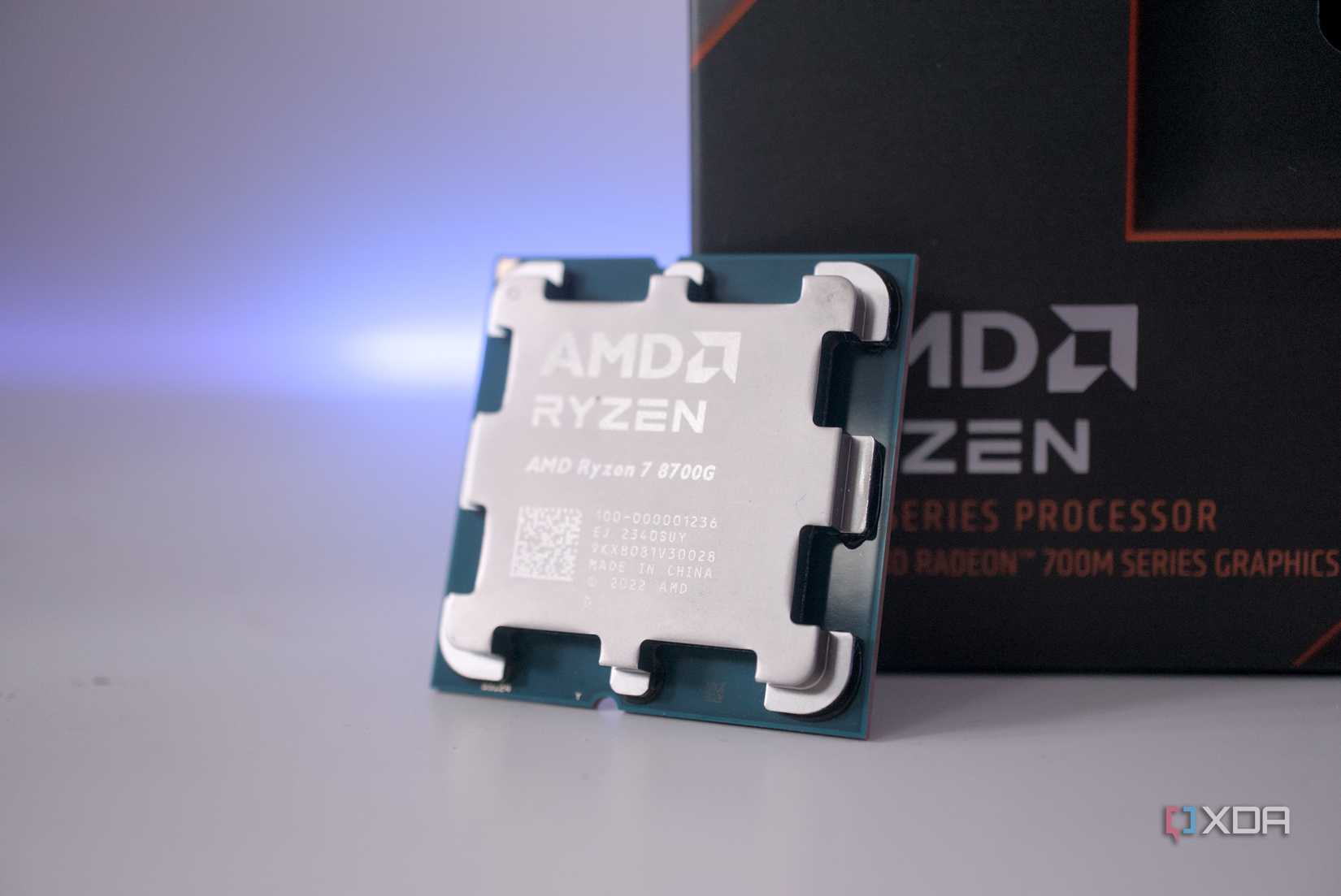
Being a 65W processor, the 8700G doesn’t produce much heat. The included stock cooler from AMD is more than capable of handling its output and keeping temperatures in check, though I would always advise upgrading to an aftermarket cooler when possible. In my extensive testing with the processor, I found the AMD Ryzen 7 8700G to be a pleasant gaming CPU to use without a dedicated graphics card. It’s even possible to enjoy some 1440p gaming!

Best gaming CPU
AMD Ryzen 7 7800X3D
The best CPU for playing games
AMD’s Ryzen 7 7800X3D CPU is the company’s cheapest model with 3D V-Cache and can deliver gaming performance on par or even better than that of the Ryzen 9 7950X.
- Cores
- 8
- Threads
- 16
- Architecture
- Zen 4
- Process
- 5 nm
- Socket
- AM5
- Base Clock Speed
- 4.2GHz
- Boost Clock Speed
- 5.0GHz
- Cache
- 96MB
- PCIe
- 5.0
- TDP
- 120 W
- Designed for gaming
- Massive cache
- Relatively low TDP
Picking the best CPU for gaming involves looking at core speeds above all else, as video games are still not designed to run well with 32 threads. Then there’s the cache, which allows the CPU to store and access more data on the chip itself instead of relying on system memory. This is where the incredible AMD Ryzen 7 7800X3D comes into play. It’s designed with gaming in mind thanks to its impressive cache configuration with 96MB of the stuff. For comparison, AMD’s most capable Ryzen 9 9950X has just 81MB.
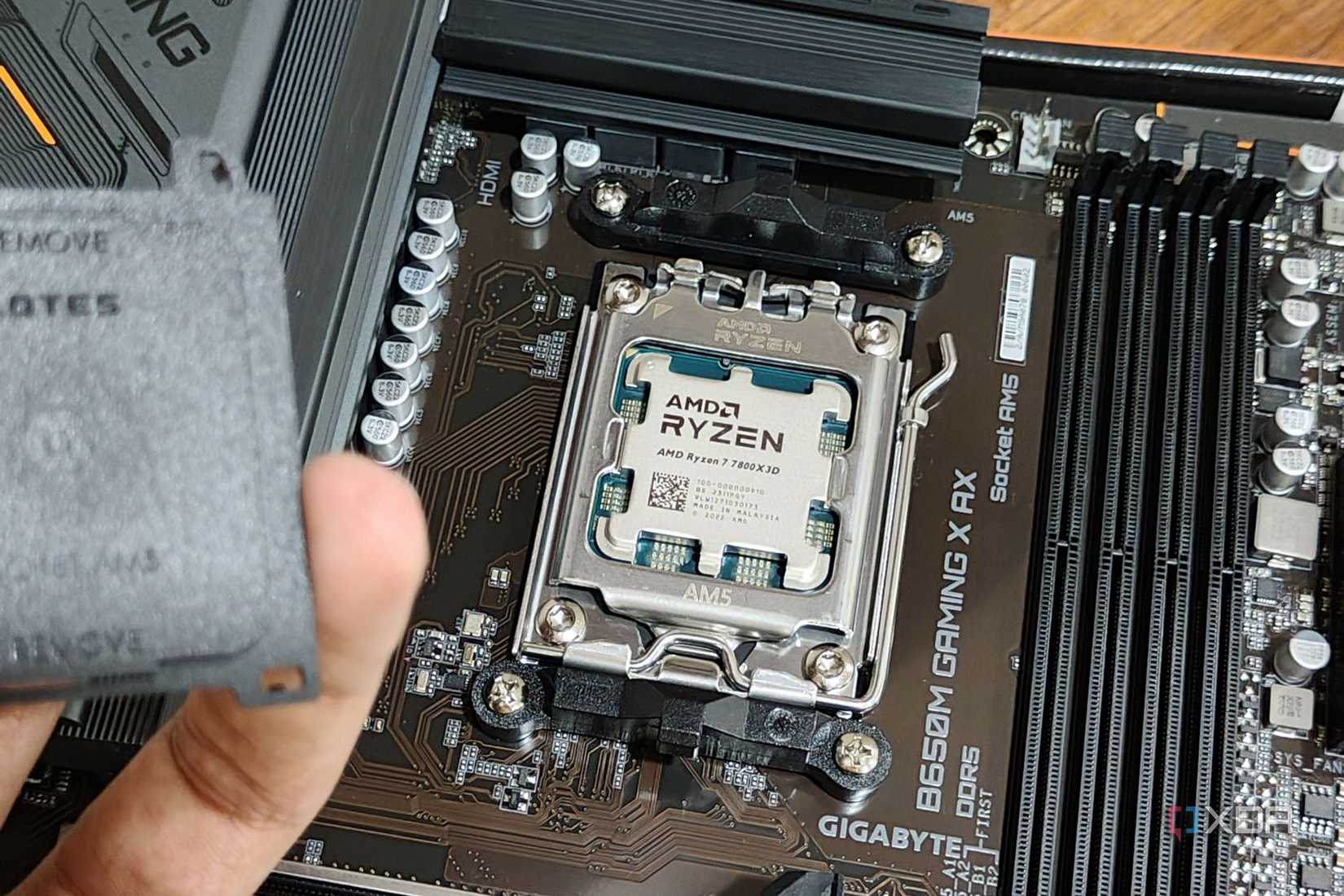
The AMD Ryzen 7 7800X3D is capable of hitting some high clock speeds with each core capable of hitting 5.0GHz by default. There are still 8 cores and 16 threads, providing plenty of performance headroom for running the latest PC games and background software. It’s expensive, brand new, and has a TDP of 120W, which isn’t too bad in the grand scheme of things, but pair this up with a capable AIO liquid cooler, and you’ll have a monster gaming chip.

Best workstation CPU
AMD Ryzen Threadripper Pro 5995WX
You likely don’t need this processor
$4000 $5799 Save $1799
The AMD Ryzen Threadripper Pro 5995WX with 64 cores is effectively an overclocked EPYC server CPU, making it the fastest workstation CPU in the world and ideal for any multi-core workload that needs to be finished as soon as possible.
- Cores
- 64
- Threads
- 128
- Architecture
- Zen 3
- Process
- TSMC 7nm
- Socket
- sWRX8
- Base Clock Speed
- 2.7 GHz
- Boost Clock Speed
- 4.5 GHz
- Cache
- 292 MB
- PCIe
- 4.0
- TDP
- 280 W
- Insane performance
- Massive cache
- Relatively low TDP
- Overkill for most people
- Incredibly expensive
Now it’s time for the big one. The incredibly expensive and powerful AMD Ryzen Threadripper Pro 5995WX is about as good as you can get for a CPU. If you need the absolute most performance available and need a workstation that can handle big data applications, look no further than this flagship AMD processor. It may be Zen 3 and not the newer Zen 4, but you’ll quickly find out why it’s still worth buying. First, let’s talk cores and threads. It has 64 cores and 128 threads, which is an incredible configuration for heavy workloads.
Then there’s support for up to 2TB (2,048GB) of system memory across eight memory channels. To put that into perspective, most consumer-grade CPUs only support up to 128GB. Finally, we’ve got 128 PCIe 4.0 lanes, making the Ryzen Threadripper Pro 5995WX perfect for a highly specialized PC build. This CPU alone is capable of matching or exceeding dual-socket server deployments, which makes the asking price all the more appealing if you truly require this much performance. Gaming is also within the reach of this processor, however, we don’t recommend this CPU just for gaming alone.

Best last-gen CPU
Intel Core i5-14600K
An older CPU that works with latest boards
The Intel Core i5-14600K is the outgoing hexacore Raptor Lake CPU, sporting 6 P-cores, 8 E-cores, and 20 threads, thanks to hyperthreading. It packs solid gaming and productivity performance for the price, and is still viable as a mid-range CPU, despite being a previous-gen CPU.
- Socket
- LGA 1700
- TDP
- 181W
- Cores
- 6P / 8E
- Threads
- 20
- Base Clock Speed
- 3.5 GHz / 2.6 GHz
- Boost Clock Speed
- 5.3 GHz / 4.0 GHz
- PCIe
- 5.0
- Cache
- 24MB L3 + 20MB L2
- Graphics
- Intel UHD Graphics 770
- Architecture
- Raptor Lake Refresh
- Process
- Intel 7
- Great value
- Works with 700 series motherboards
- Weaker performance than 14th-gen
- Less efficient
Intel’s Core i5-14600K is our favorite processor from the 14th-gen family of Intel chips. Its successor is the Core i5-13600K and is one of the best processors you can buy for gaming and general PC usage. Inside the processor are six P-cores and eight E-cores, resulting in a total of 20 threads. The P-cores come with Hyperthreading, allowing the processor to do far more than it would with just one thread per core. These powerful cores can boost up to 5.3GHz.

E-cores are designed for handling background tasks, as well as assisting P-cores when necessary. They’re slower, but this does allow the CPU to draw less power when not being fully utilized. Just like other 14th-gen processors, there’s support for both DDR4 and DDR5 RAM and you can use this processor on a 600 or 700 series Intel motherboard with an LGA 1700 socket. It may be an older choice today, but it’s still worth considering saving money.
Choosing the best CPU
Figuring out what you’re going to do with your PC and allocating a budget for it is a good place to start a PC build. A CPU is not the only core component affecting performance, but it can certainly hinder the overall output of the rest of the system. A good general all-rounder though is either the Intel Core Ultra 7 265K or the AMD Ryzen 7 9700X.
Both are “mid-range” CPUs that don’t cost a fortune and they’re also able to deliver some serious performance that will make them useable for years to come. Content creators, enthusiasts, and workstation buyers are equally well-supported, with AMD’s Ryzen 9 9950X a definite stand-out should you require even more performance.

Best overall CPU
AMD Ryzen 7 9700X
The best value processor from AMD is worth considering
AMD’s all-new Ryzen 7 9700X not only undercuts its predecessor, but it’s more powerful and sips less electricity. 8 cores and 16 threads will ensure all your favorite games run as intended by the developers, and a 5.5 GHz boost speed will make easy work of heavier loads.
- Cores
- 8
- Threads
- 16
- Architecture
- Zen 5
- Process
- TSMC 4nm, 6nm
- Socket
- AM5
- Base Clock Speed
- 3.8 GHz
- Boost Clock Speed
- 5.5 GHz
- Cache
- 40 MB
- PCIe
- 5.0
- TDP
- 65W
- Excellent overclocking potential
- Better choice than the 9600X
- Lower TDP by default
- No DDR4 RAM support
- No included cooler
What is the best CPU?
Picking the best CPU largely comes down to the socket type your selected motherboard has, as well as how much you’re willing to spend. AMD and Intel are the two players in the CPU space for desktop computers, yet there are countless processors across numerous generations that could be considered. This is where choosing the right one can prove daunting to new system builders.
When upgrading an existing system, your options will be limited to the socket and chipset on your motherboard. When shopping around for new PC parts for a complete build, the processor can be selected prior to the motherboard. Regardless, the socket of the motherboard and processor need to match. For example, the Intel Core i5-14600K supports LGA 1700 and the AMD Ryzen 9 9950X only works with AM5.
AMD and Intel at least attempt to make it easy to decipher their respective processor catalogs. The first digit of the four-figure model number denotes the generation. The Core i9-12900K is a 12th Gen Intel processor and the Ryzen 5 7600X is a 7th Gen AMD processor. The best motherboards allow for a processor to be overclocked, providing considerable boosts in performance. Not all processors allow for overclocking, and we’ll note this for each recommendation.
A core is what handles the instructions sent to the CPU. The more cores present on the chip, the more instructions can be processed simultaneously. Then there are threads, which share the resources of a core, effectively splitting it up into multiple processing units. Depending on what you plan on doing with the PC, even the more affordable processors have multiple cores and threads.
The speed of a processor is also important and is measured in gigahertz (GHz). It represents how many pulses per second a CPU is able to handle. The higher these speeds, the more instructions can be processed each second. Boost and burst speeds are what a processor is able to hit during heavy loads and in short durations, respectively.
#CPUs
source: https://www.xda-developers.com/best-cpus/


