

-
Alienware m16 R2
The new m16 R2 from Alienware features a powerful Intel Core Ultra chip, an Nvidia RTX 4070, and up to 64GB of RAM alongside tons of storage. With a good amount of processing power, you won’t have trouble running modern games, while this machine also starts off at just $1500.
Pros- Intel Core Ultra chip
- Relatively affordable
- 240Hz display
-
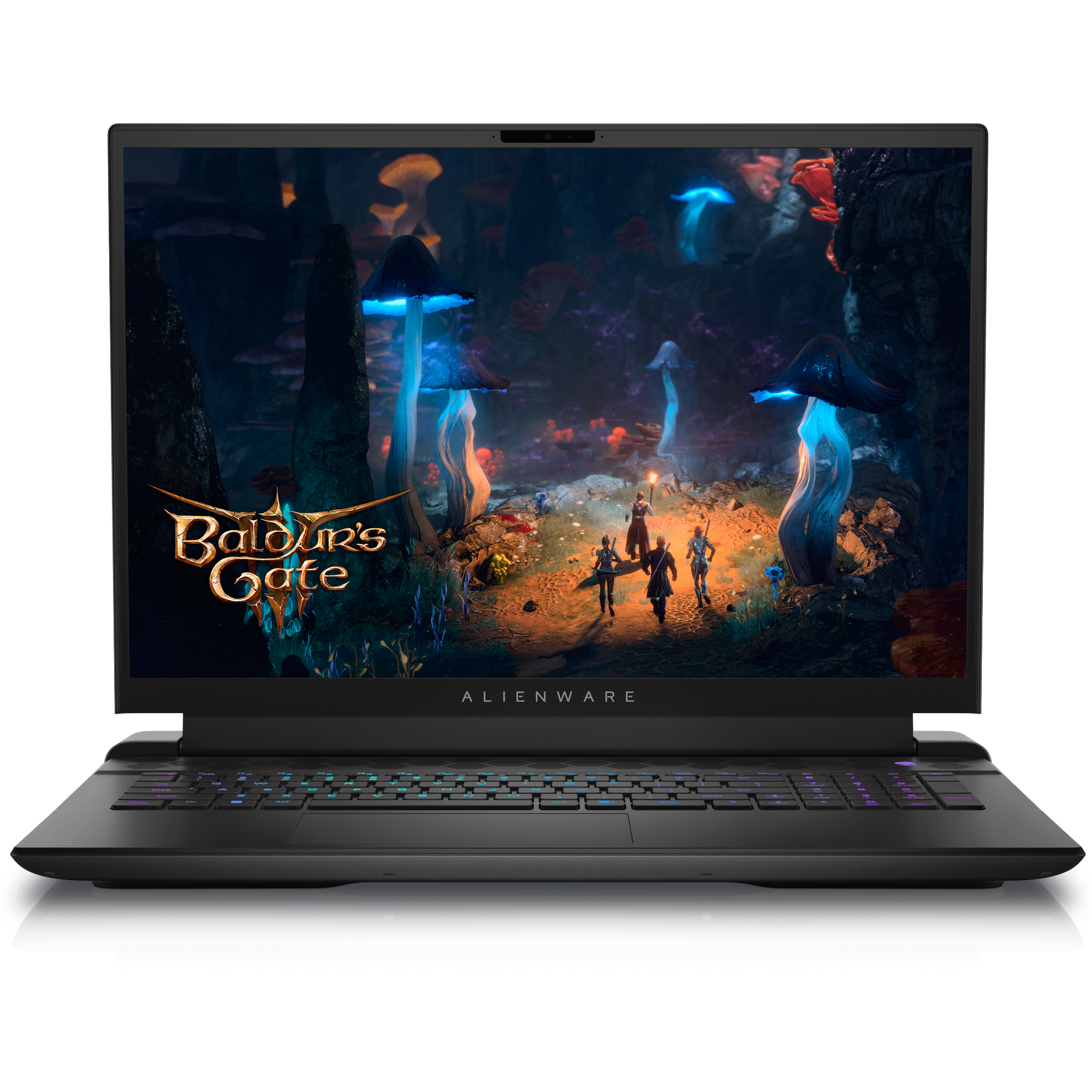
Alienware m18 R2
With nearly limitless configurations, Alienware’s m18 gaming laptop is the perfect machine for those looking to build out their dream gaming laptop. With tons of powerful chips to choose from, support for a variety of Nvidia GPUs, and up to 64GB of RAM, this laptop can handle anything.
Pros- Lots of options
- 480Hz display
- Powerful hardware

When you’re looking for a new laptop, it can be tough to figure out whether you should be looking through the best laptops or the best gaming laptops, while if you’re on a budget, you may feel the need to sift through the best budget machines. Quickly, you can find yourself overwhelmed. Luckily, in the world of laptops, Alienware is oftentimes a reliable choice, especially for gamers.
To help you make the best decision possible, we’ve pit the new Alienware m16 R2 against Alienware’s latest m18. With this comparison, it’ll be easy to figure out which one of these powerful, premium machines might be the right fit for you.
Price, availability, and specs
Premium computers for premium prices
Alienware’s m16 R2 is available at your favorite retailer of choice, and pricing starts off at $1500. Depending on your configuration, that pricetag can go all the way up to $3845, while you’re also getting the default Dark Metallic Moon colorway regardless of which hardware you choose.
With Alienware’s m18 R2, it’s also available at a variety of retailers, and pricing begins at $1900. There are tons of different configurations of m18 R2, though, from CPU to GPU to everything else, so definitely expect to pay a lot more if you want to fully kit yours out. However, you are going to be stuck with Alienware’s default Dark Metallic Moon colorways regardless of your configuration.
-
Alienware m16 R2 Alienware m18 R2 Operating System Windows 11 Home Windows 11 CPU Up to Intel Core Ultra 9 Up to 14th-gen Intel Core i9 GPU Up to Nvidia GeForce RTX 4070 Laptop GPU Up to Nvidia GeForce RTX 4090 RAM Up to 64GB DDR5 5600 MT/s Up to 64GB DDR5 5200 MT/s Storage Up to 8TB Up to 8TB Battery 90Wh 97Whr Display (Size, Resolution) 16.0″ QHD+ (2560 x 1600) 240Hz, 3ms, 100% sRGB, NVIDIA G-SYNC 18-inch QHD+ or FHD+ display with 165Hz or 480Hz refresh rate Camera 1080p at 30 fps FHD RGB+IR camera FHD IR camera Speakers Six speaker setup (2x 2W tweeters, 4x 3W woofers) 2W x 2 stereo speakers Colors Dark Metallic Moon Dark Metallic Moon Ports 1x Thunderbolt 4, 2x USB Type-A 3.2 Gen 1, 1x USB-C 3.2 Gen 2, 1x HDMI 2.1, 3.5mm headphone jack, 1x microSD card reader, 1x RJ45 Ethernet 4x USB 3.2, 2x Thunderbolt 4 with DisplayPort, 1x RJ45 Ethernet, 1x universal audio, 1x HDMI 2.1, 1x mini-DisplayPort Network Wi-Fi 7, Bluetooth 5.4 Wi-Fi 7, Bluetooth 5.4 Dimensions 363.90×249.40×23.50mm (14.33×9.81×0.93 inches) 26.7 x 410.3 x 319.9mm (1.05 x 16.15 x 12.59 inches) Weight 2.61 kg (5.75 lb) 9.32 pounds Price Starting at $1,500 Starting at $1900 Power 240W power adapter 280W AC adapter

Alienware’s latest laptop has a Stealth Mode key to save your eyes and ears from fan noise and RGB madness
Alienware is coming strong at CES 2024, with three new laptops, two monitors, and a new gaming keyboard and mouse
Design and display
Traditional designs and impressive displays

In terms of design, both the m16 R2 and the m18 R2 are pretty traditional clamshell laptops. Of course, they both have a premium look and feel, and there’s a certain toughness to these computers that means they’ll never come off as flimsy. However, there isn’t much to differentiate these laptops from a million others at a glance when it comes to aesthetics. If you’re happy with a black rectangle, rounded corners, and relatively trim bezels, you won’t be disappointed.
There’s no getting around the elephant in the room: size and weight. The m16 R2 weighs in at 5.75 pounds, while the m18 R2 balloons up to an impressive 9.3 pounds. Neither are especially small or thin, either. Naturally, the 18-inch m18 R2 is bigger than the 16-inch m16 R2, but the difference in overall size is less substantial than the difference in weight between the two. These aren’t light laptops either way, but the m18 R2 is quite a bit heavier.
Displays make these laptops more interesting than their design might suggest. With the m16 R2, you get a 16-inch 3ms QHD+ 240Hz G-SYNC panel, while you can choose between an 18-inch 3ms QHD+ 165Hz G-SYNC panel or an 18-inch 3ms FHD+ 480Hz G-SYNC panel on the m18 R2. These are some seriously responsive displays meant for gamers looking to do high-refresh-rate gaming.
There isn’t a clear winner when it comes to display, although the m18 R2 has more flexibility thanks to some choice, and which you’d prefer really comes down to whether you’ll want to game at a FHD resolution with a higher framerate or a QHD resolution. For QHD, the m16 R2 does have a higher refresh rate, but the difference between 165Hz and 240Hz isn’t particularly stark, and the m16 R2 likely won’t be able to push 165Hz at QHD all that often.
Webcams on these two laptops are a match with FHD IR cams for both. This isn’t photographer-grade quality, but it’s more than enough for a Zoom meeting every now and then without distracting everyone with how pixelated you are. No complaints, but nothing impressive.
Hardware and performance
A good amount of power or all the power

There are some big differences in the hardware of these two laptops.
With the m16 R2, you’re getting up to an Intel Core Ultra 9 CPU, up to an Nvidia RTX 4070, and up to 64GB of DDR5 memory. This isn’t the most powerful gaming PC money can buy, but it’s certainly more than enough to handle current-generation gaming at high settings most of the time. You can opt to save some money and go for an Intel Core Ultra 7 chip, drop down to an RTX 4050 GPU, and go with 16GB of RAM for the budget-minded.
For the m18 R2, you can choose from a variety of 14th-gen Intel chips, all of which feature more threads and higher clock speeds than what you get with the Core Ultra chips on the m16 R2. For GPU, you can go all the way up to an Nvidia RTX 4090. When it comes to RAM, you can have up to the same 64GB of DDR5 you see on the m16 R2.
As you can see, these PCs are fairly different in terms of processing capability. You can configure an m18 R2 to be more powerful, as well as much heavier and more expensive, than an m16 R2, making it the performance winner. Do keep in mind that if you’re looking for a gaming laptop that can handle modern games and high-refresh-rate gaming, the m16 R2 is not a bad machine.
Battery life
Not the strength of gaming laptops

As a caveat, we haven’t reviewed either of these laptops just yet, so we don’t have our own battery life numbers. That being said, there are some expectations you should keep in mind.
Gaming laptop battery life is never going to be exceptional, not when you’re pushing your CPU and GPU hard, because powerful versions of those components are always going to suck up a ton of power. For either laptop, we wouldn’t expect more than a couple of hours of battery life when you’re trying to get the most FPS you can out of a game at the highest graphical settings.
That being said, it’s likely that the m18 R2 will offer up worse overall battery life, depending on your chosen configuration. With options for much more powerful (and power-hungry) components, as well as a larger display, it’s simply going to be the case that the hardware will require more power than the m16 R2’s does. While when gaming you shouldn’t expect more than a few hours of battery life, you’ll likely be able to push that further when doing lighter tasks.
Either way, make sure to bring a charger with you when you take either out into the world.
Alienware m16 R2 vs m18 R2: Which should you buy?
Make sure to get your wallet ready
Whatever way you cut it, these are heavy, chunky, powerful laptops that aren’t meant to be budget purchases. Although the m16 R2 may be cheaper, lighter, and smaller than the m18 R2, that’s not to say it’s cheap, light, or small. Considering that, and considering that the m18 R2 can be kitted out to be significantly more powerful than the m16 R2, the m18 R2 is our overall top pick of laptop.
However, that’s not to say the m16 R2 isn’t the right laptop for some. If you don’t mind heavy but don’t want nearly immovable, and you’re looking to do some gaming but don’t need to spend and spend on the most power you can get, the m16 R2 is a strong candidate.

Alienware m18 R2
Winner
With nearly limitless configurations, Alienware’s m18 gaming laptop is the perfect machine for those looking to build out their dream gaming laptop. With tons of powerful chips to choose from, support for a variety of Nvidia GPUs, and up to 64GB of RAM, this laptop can handle anything you throw at it.
With a huge variety of customization options, Alienware’s m18 R2 can turn into just about any laptop you want it to be, assuming you’re looking for an extremely powerful, expensive machine that won’t be phased by even the most demanding applications and games.

Alienware m16 R2
Runner-up
The new m16 R2 from Alienware features a powerful Intel Core Ultra chip, an Nvidia RTX 4070, and up to 64GB of RAM alongside tons of storage. With a good amount of processing power, you won’t have trouble running modern games, while this machine also starts off at just $1500.
#Alienware #m16 #m18 #laptop
source: https://www.xda-developers.com/alienware-m16-r2-vs-alienware-m18-r2/


